Plan to Action
Once a Planning report has been reviewed and is ready to use, it can be imported directly into a campaign. Follows these steps to launch your media plan:
- Import the Plan at the Campaign Level
- Navigate to the campaign level and click Import.

- In the pop-up window, find and select the desired Planning report by name.
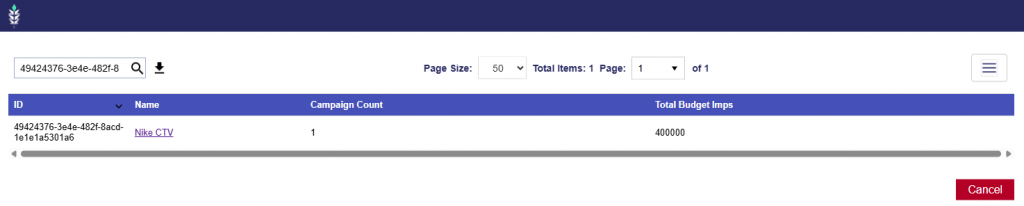
- Click the Planning report name.
2. Review and QA the generated campaign to ensure all settings, targeting, budgets, and line configurations are as desired before launch.
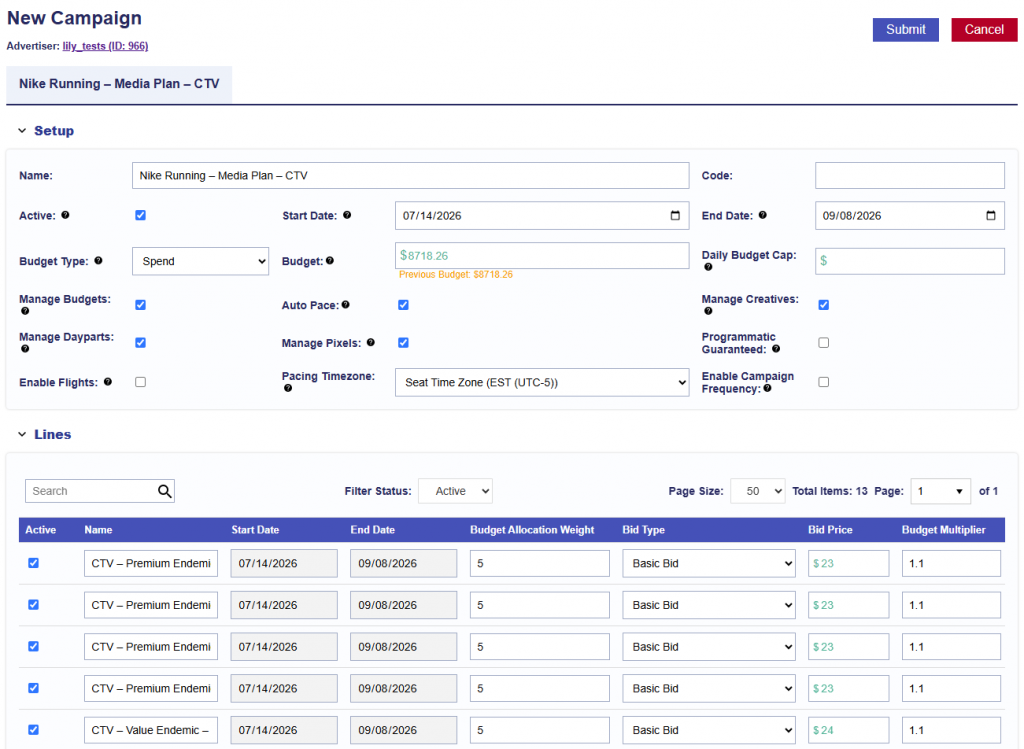
The following campaign-level settings are selected by default when a Planning report is imported:
- Manage Budgets
- Auto Pace
- Manage Creatives
- Manage Dayparts
- Manage Pixels
All lines included in the Planning report are also automatically populated as part of the import.
3. Associate your Creatives.
4. Associate Audience Segments if desired.
5. Associate your Pixels.
6. Once the campaign has been fully reviewed and all desired creatives, audiences, and pixels have been associated, click Submit.