Plan Results
Once the plan is built, users can review the generated strategy, campaign structure, inventory recommendations, projected scale, and downloadable deployment files. The Results section is split into three subtabs:
- Executive Summary: Provides a high-level overview of the generated media plan, including the campaign brief, brand and audience insights, planning constraints, projected scale, room to scale, and a summary of the generated output files.
- Campaign: Provides an editable view of the proposed campaign structure. Users can review inventory types, lines, bids, budgets, targeting, recommended deals, and availability estimates, and can click into each line to review or modify its settings.
- Downloads: Provides access to the complete set of generated planning and deployment files, including human-readable plans, spreadsheets, Hawking import files, raw CSVs, and structured JSON outputs.
Executive Summary
The Executive Summary provides a high-level overview of the generated media plan, including:
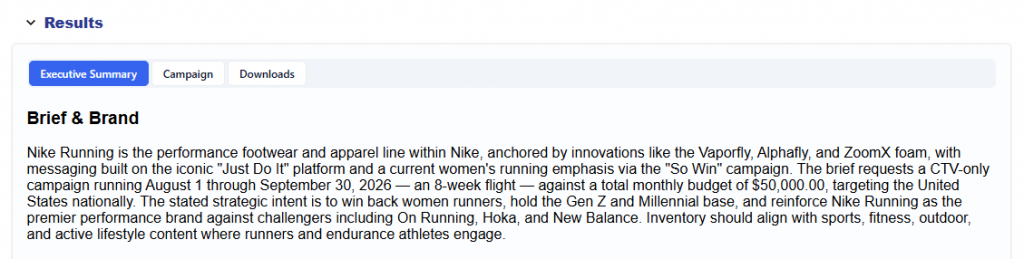
- Brief & Brand: Summarizes the campaign brief, brand context, objectives, competitive landscape, flight dates, budget, and intended media strategy.
- Audience Identified: Describes the recommended audience, including demographics, lifestyle attributes, interests, and how those signals map to the proposed inventory strategy.

- Constraints: Summarizes the geo, inventory types, budget, flight dates, and other planning requirements.

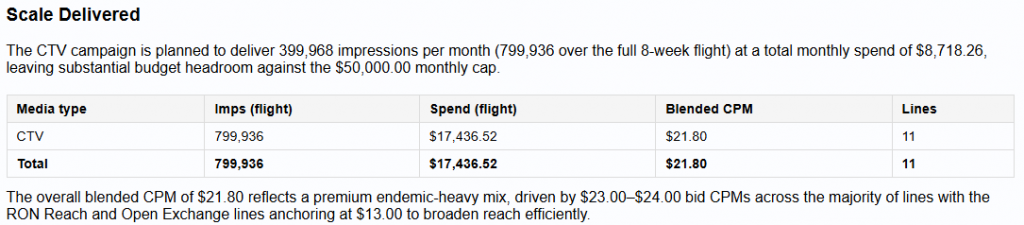
- Scale Delivered: Shows projected impressions, spend, blended CPM, and line count by inventory type.
- Room to Scale: Evaluates available inventory and capture rates to identify where additional scale may be available and where supply may be more limited.

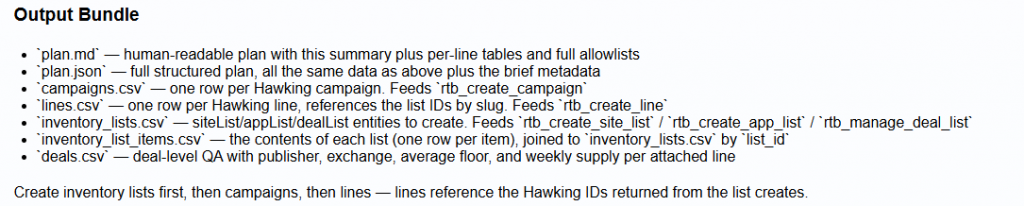
- Output Bundle: Describes the files generated with the plan and how they can be used for review, analysis, or campaign deployment.
Campaign
The Campaign tab provides an editable view of the proposed campaign structure.
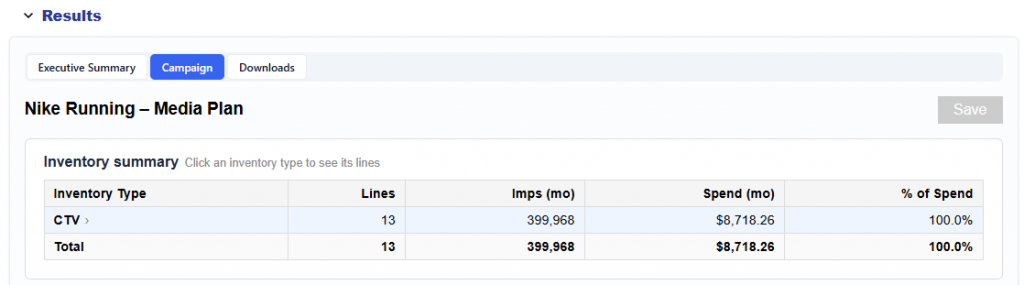
The Inventory Summary shows the number of lines, projected monthly impressions, projected monthly spend, and share of spend by inventory type.
Users can select an inventory type to view its recommended lines. Each line displays:
- Line name
- Bid CPM
- Monthly impression goal
- Estimated monthly spend
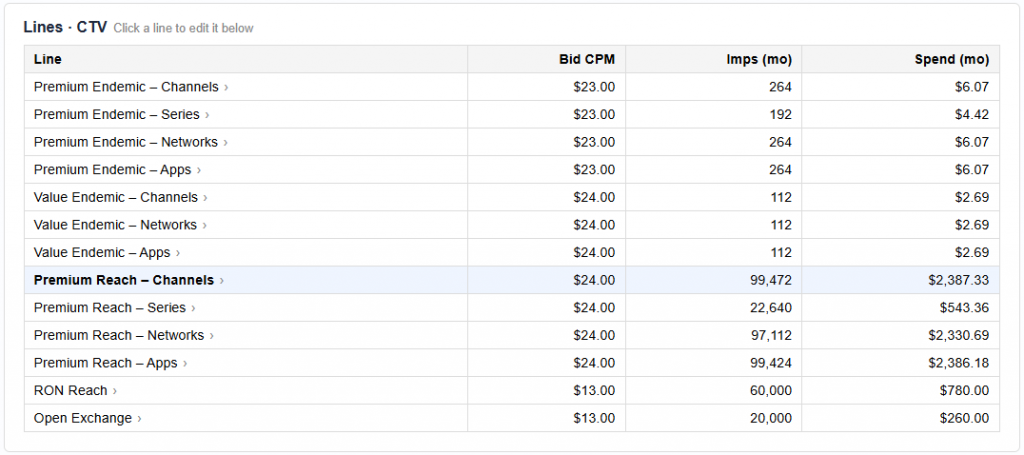
Selecting a line opens the full Line Details, where users can review and edit settings such as:
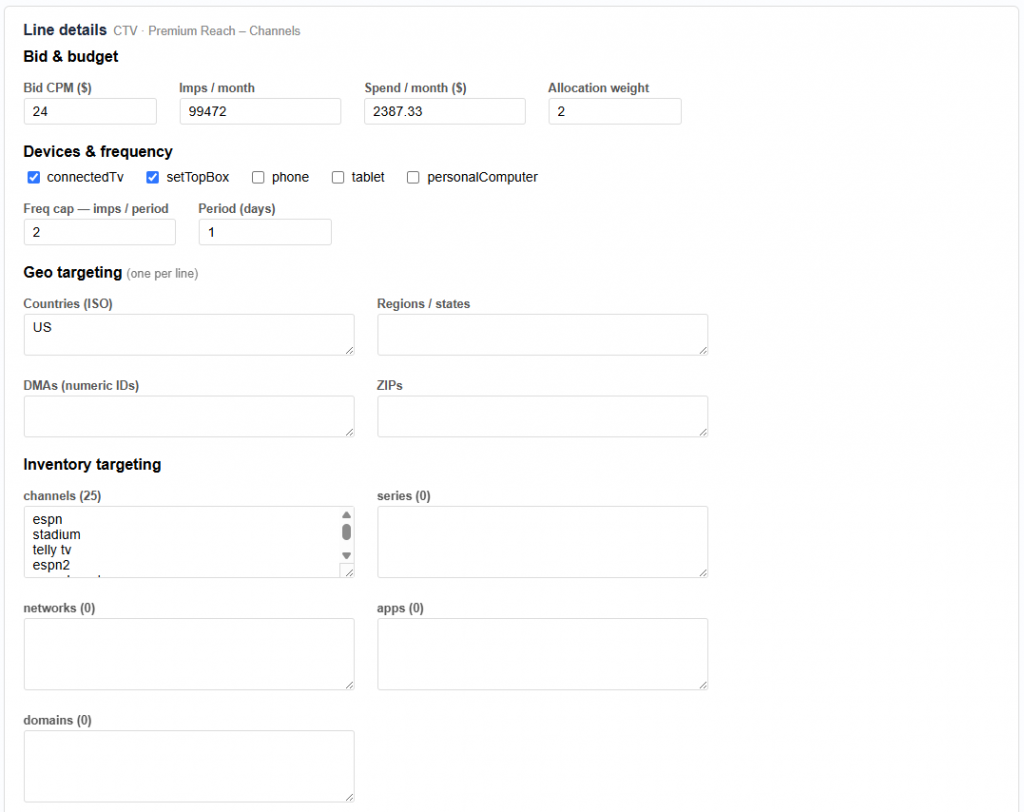
- Bid CPM
- Monthly impression goal
- Estimated spend per month
- Budget allocation weight
- Device targeting
- Frequency cap
- Geo targeting: Countries, Regions / States, DMAs, ZIPs
- Inventory targeting: Channels, Series, Networks, Apps, and Domains
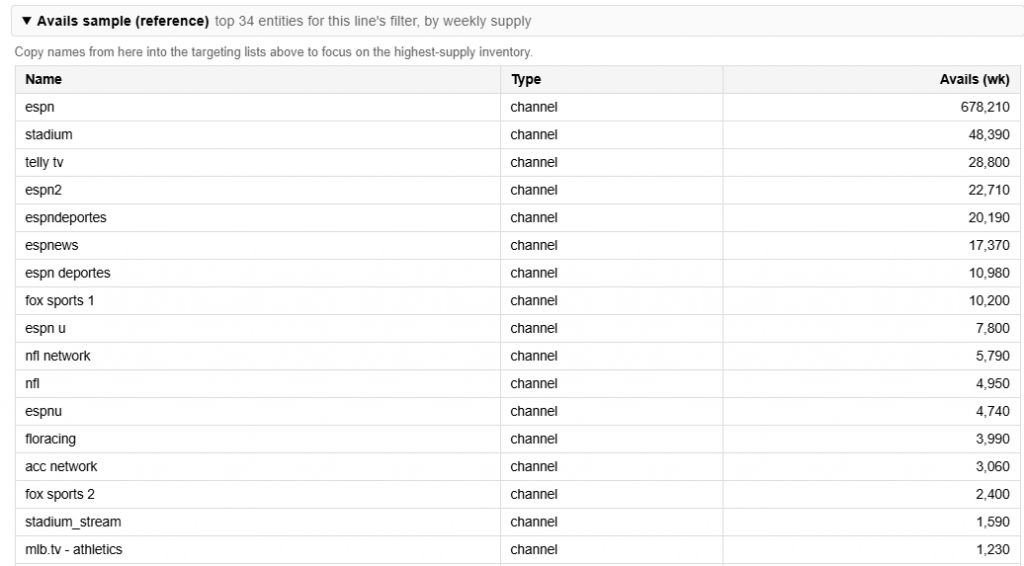
- Sample availability and supply estimates
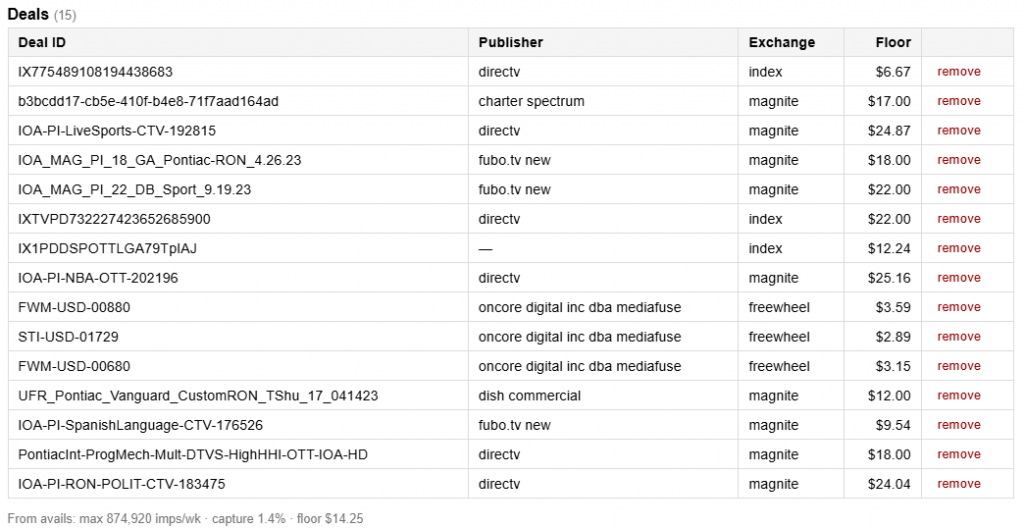
- Deals that the inventory will be bought through
- Expected capture rate
- Average deal floor
The plan uses sample bid request data to connect the recommended content and inventory strategy with observed marketplace supply. This helps show not only what inventory is contextually aligned with the campaign goal, but also how much relevant inventory may be available.
Users can click through each proposed line to review and refine the settings before saving or launching the campaign.
Downloads
The Downloads tab provides the complete output bundle generated for the plan. These files are helpful for sharing and audit, but follow the documentation here to implement the Media Plan: Plan to Action
Recommended
- plan.md: Human-readable version of the media plan
- plan.xlsx: Spreadsheet version of the plan for review and sharing
- plan_bundle.zip: Complete bundle of generated planning files
Hawking Import
hawking_import.json: Structured Hawking API JSON containing the campaigns, lines, and inventory lists required to deploy the plan
Raw CSVs (Hawking-shaped)
campaigns.csv: Campaign records to createlines.csv: Line records to createinventory_lists.csv: Site, app, and deal list recordsinventory_list_items.csv: Individual items contained within each inventory listdeals.csv: Deal-level details and QA information
Other
plan.json: Full structured version of the generated planbrief_text.txt: Original campaign brief used to generate the plan
These files allow users to review the strategy at different levels of detail, share the plan across teams, conduct additional analysis, or use the structured outputs to deploy the recommended campaign setup.