New Plan Draft
Continue building your Media Plan in the Draft Section:
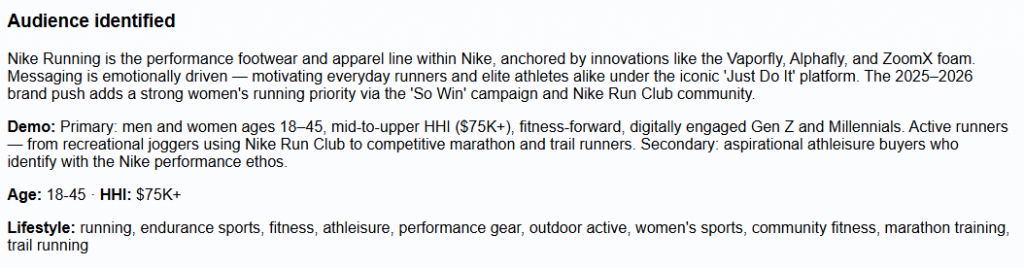
- Audience Identified: Provides a summary of the audience the plan is designed to reach, based on the campaign inputs, brand research, and any supporting context provided. This may include the brand or product positioning, primary and secondary audience segments, demographic characteristics, income range, interests, behaviors, lifestyle traits, and other relevant audience signals.
- Example fields may include:
- Demo: Primary and secondary audience descriptions.
- Age: Recommended age range.
- HHI: Recommended household income range.
- Lifestyle: Relevant interests, activities, behaviors, and affinities associated with the target audience.
- Example fields may include:
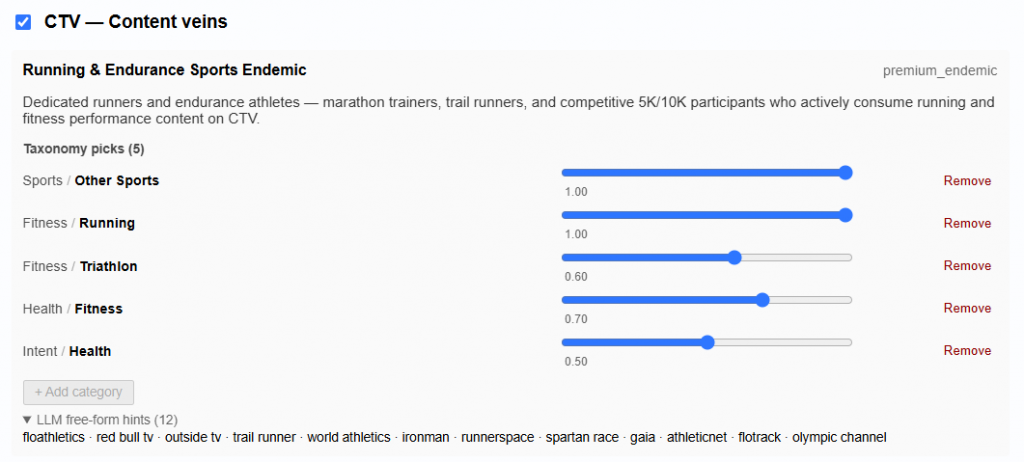
- Inventory Plan: For each selected inventory type, the Planning Tool generates recommended content veins based on the campaign goals, audience, brand context, and available inventory. Users can review and edit these recommendations before building the final plan. Users are not required to proceed with every inventory type originally selected during setup. For example, if both CTV and Audio were included initially, a user can remove Audio and continue with only the CTV plan.
- Content Veins: Content veins represent distinct audience or inventory strategies within an inventory type. Each vein includes:
- Name: A descriptive label for the strategy.
- Tier: Indicates the role of the strategy within the plan, such as premium endemic, value endemic, or premium reach.
- Description: Explains the intended audience, content environment, and strategic purpose of the vein.
- Taxonomy Picks: Structured targeting categories selected to support the strategy. Each category includes a weight indicating its relative importance to the content vein. Users can remove existing categories or add additional categories.
- LLM Free-Form Hints: Additional contextual signals generated by the LLM to help identify relevant inventory that may not be fully represented by the structured taxonomy.
- Users can review and modify the recommended content veins, by changing the weights, or removing taxonomy picks.
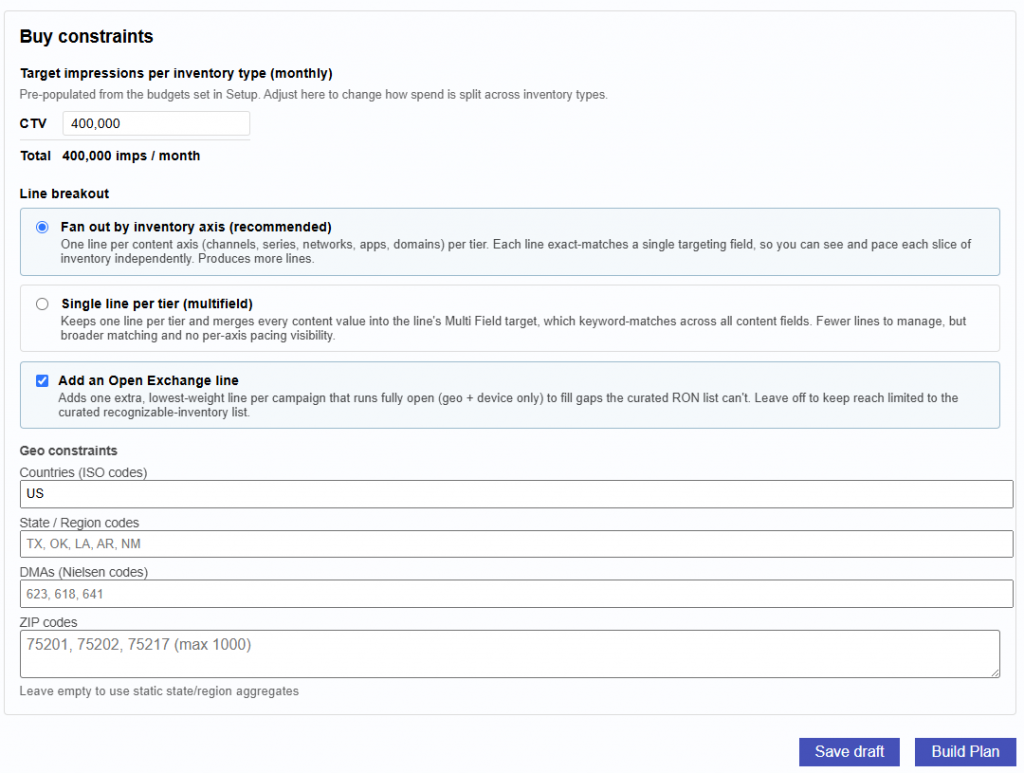
- Buy Constraints: These constraints are used when matching the plan to available inventory and expected volume.
- Target Impressions per Inventory Type: Set the desired monthly impression volume for each selected inventory type. Values may be pre-populated based on the budgets or impression goals entered during setup and can be adjusted before the plan is built.
- Line Breakout: Users can choose how recommended inventory is organized into campaign lines.
- Fan Out by Inventory Axis (Recommended): Creates separate lines for each content or inventory axis, such as channels, series, networks, apps, or domains. This provides more granular visibility and pacing control but may create more lines.
- Single Line per Tier (Multifield): Creates one line per tier and combines multiple content values into a broader multi-field target. This reduces the number of lines to manage but provides less granular pacing and reporting by individual inventory axis.
- Add an Open Exchange Line: Adds a lower-weight open exchange line using the broader campaign targeting, such as geography and device, to help capture additional scale outside of the curated inventory recommendations.
- Geo Constraints: Users can further define where the plan should run by entering:
- Countries using ISO country codes
- State or region codes Nielsen DMA codes
- ZIP codes (Max 1,000)
- Click the Save Draft to save the contents and come back to it later.
- Click the Build Plan button when ready to active and generate the plan.
- Move onto the following steps: Plan Results