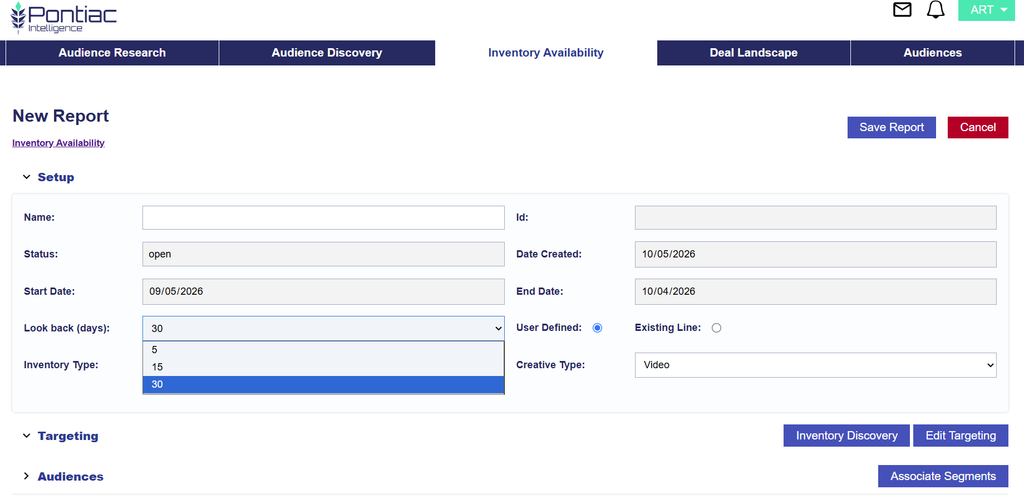
Inventory Availability Report Selectable Lookback
The Inventory Availability report now allows users to select the lookback period used to evaluate available inventory.
When creating a report, use the Look back (days) dropdown in the Setup section to select:
- 5 days
- 15 days
- 30 days
The Start Date and End Date automatically update based on the selected lookback period.
This option is available for both User Defined and Existing Line Inventory Availability reports and allows users to evaluate inventory using a shorter or longer recent data window depending on their needs.