Pontiac Wiki Pontiac Wiki

Pacing Tab Filters

May 2026

  • Deal Creative Types & Inventory Types
  • New Frequency Capping By Options
  • Creative Testing for Malicious Intent
  • Analytics Model Association
  • Pixel Type Tooltips
  • Added Creative Type to Creatives Section
  • Pacing Tab Filters
  • Inventory Type Troubleshoot Check
  • First Party Video Aspect Ratios
  • Public CTR Models
  • Microsoft Curate Integration
  • Pixel Custom Audience Update
  • Line Performance Inventory Availability
  • Updated Creative Type Names
  • Served to COPPA and DNT Unchecked by Default
  • GDPR Enabled Seat Default Country
  • New Default Basic Bid Price
  • Videos: Hosted Audio Bit Rate Added to Specs Tab
  1. Home
  2. Platform Updates
  3. New Features
  4. May 2026
  5. Pacing Tab Filters

Pacing Tab Filters

Release Date: May 12th, 2026

We have added new filters to the Pacing tab for both Campaign and Line views: Days Remaining and Lifetime Pacing.

Days Remaining

The Days Remaining filter allows users to filter campaigns and lines based on the number of days remaining before the end date.

The filter includes:

  • An operator dropdown with options such as Greater Than and Less Than
  • A numeric text box that only accepts numbers
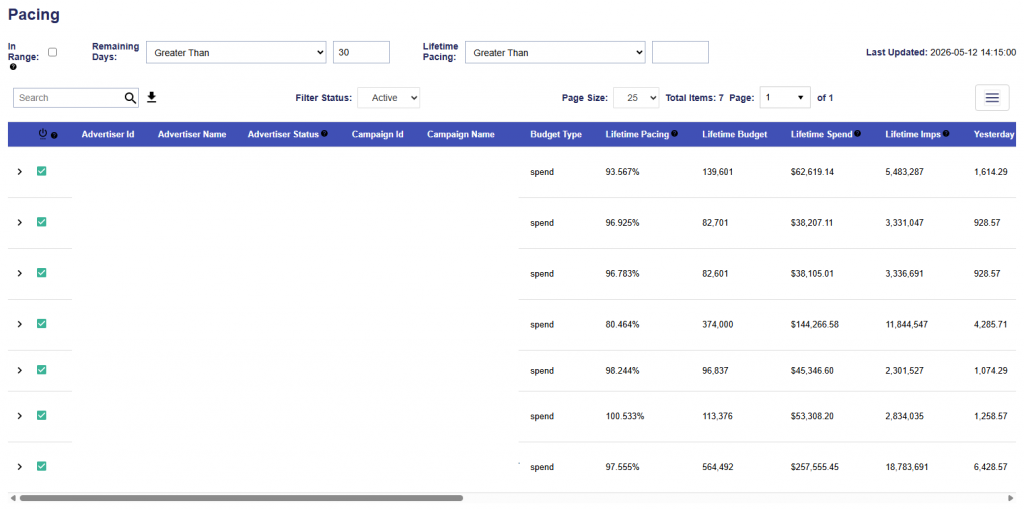
Example: Campaigns filtered to show only campaigns with greater than 30 days remaining.

Lifetime Pacing

The Lifetime Pacing filter allows users to filter campaigns and lines by lifetime pacing value.

The filter includes:

  • An operator dropdown with options such as Greater Than and Less Than
  • A numeric text box that only accepts numbers
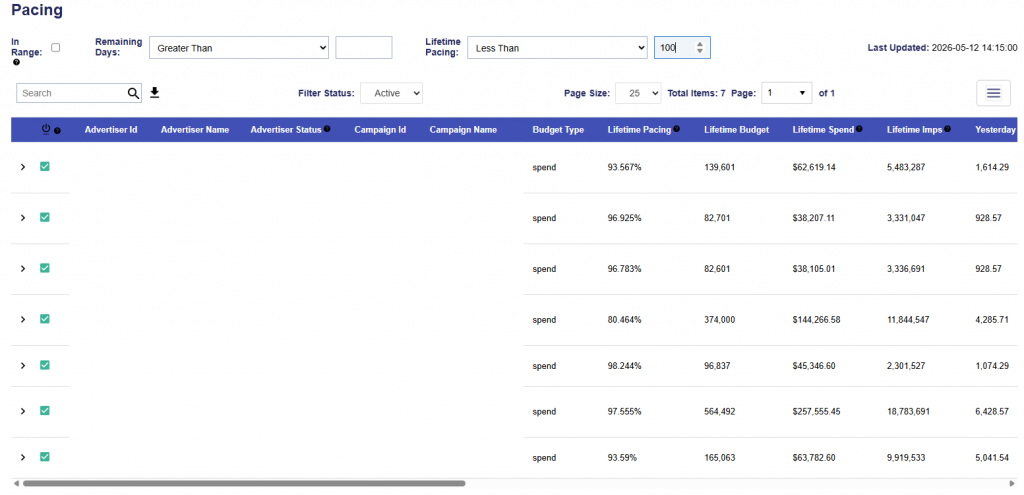
Example: Campaigns filtered to show only campaigns with Lifetime Pacing less than 100%.

© 2026 Pontiac Wiki Sec · All Rights Reserved · Developed by RDK

  • Contact Us
  • Privacy Policy
  • Terms & Conditions
  • Pontiac.media