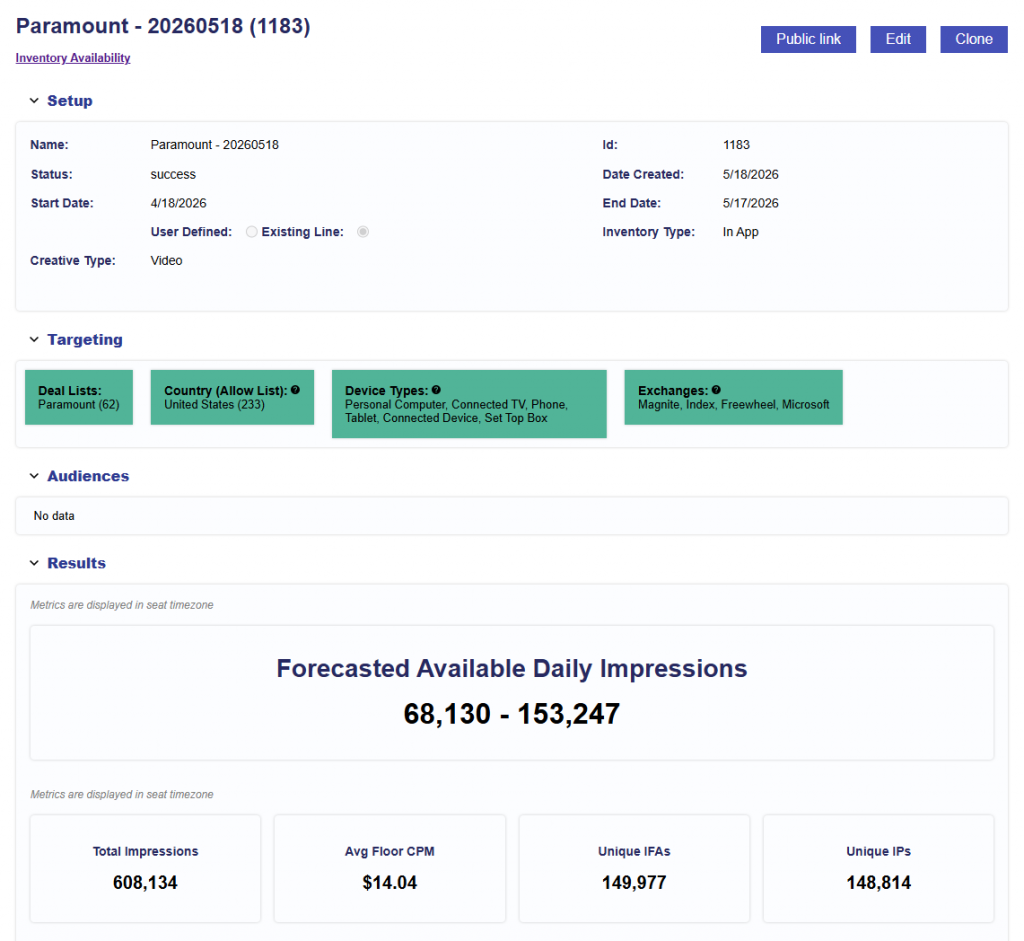
Line Performance Inventory Availability
Release Date: May 18th, 2026
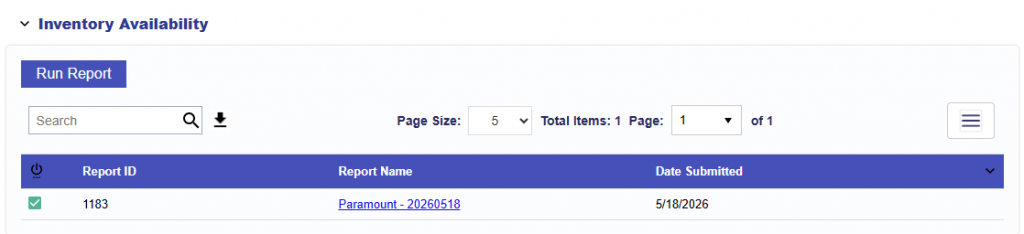
The Line Performance tab now includes an Inventory Availability section. This section appears near the top of the Performance tab, under the pacing bars, and allows users to run and review Inventory Availability reports directly from the Line.
Select Run Report to generate a new Inventory Availability report for the line.
The report is generated using the line’s current configuration, including:
- Inventory type
- Creative type
- Advertiser
- Campaign
- Line
- Effective targeting (Intersection of the Campaign and Line)
- Audiences (only Line level)
- If audiences are applied to the Campaign level, users can manually add an additional group and then run the report, but it will not be automatically included.
- See Boolean Logic for more details on any and all logic for targeting between groups.
After a report is submitted, it appears in the Inventory Availability report table for that line.
The table includes:
- Report Status: Shows whether the report is processing, complete, or has an issue
- Report ID
- Report Name: Generated using the line name and date. When users click on the name, they are taken to the full report.
- Date Submitted
Reports are ordered by Date Submitted, with the newest reports shown first.
Results
Once the Report has finished processing, click on the Report Name to see the results. See the documentation here for a deep dive into Inventory Availability Reports: Inventory Availability Tool