Pontiac Wiki Pontiac Wiki

February 2026

February 2026

  • Custom Audience Tooltip
  • Pixel Updates
  • Update to API Metric Endpoints
  • Standard Reporting Data Spinner
  • Updated Creative Tracker Message
  • First Party Audio Creatives
  • Performance Tab Full Report Link
  • Previous Report Name
  • Inventory Discovery Multi Field
  • Hide Subseat Margin Option
  • Auto Pace Tooltip
  1. Home
  2. Platform Updates
  3. New Features
  4. February 2026

Custom Audience Tooltip

Release Date: February 2nd, 2026

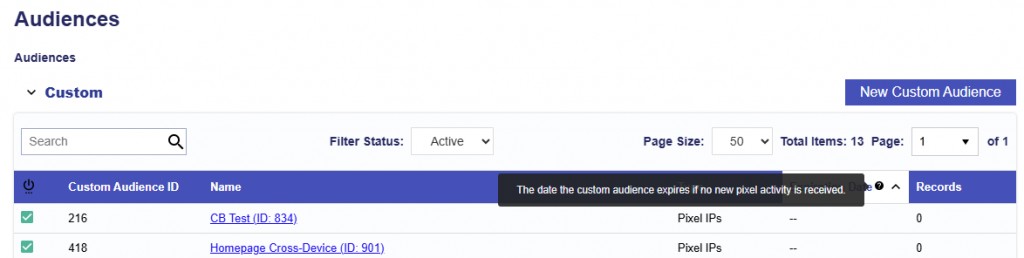
In the Audience tab under the Custom audience section, the column Expiration Date has been updated to include the following tooltip: The date the custom audience expires if no new pixel activity is received. 
Pixel Updates

Release Date: February 2nd, 2026

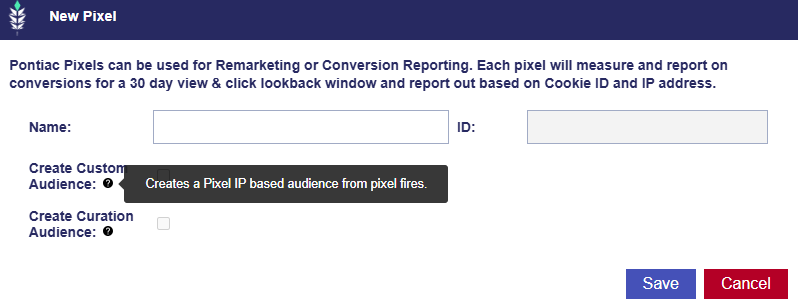
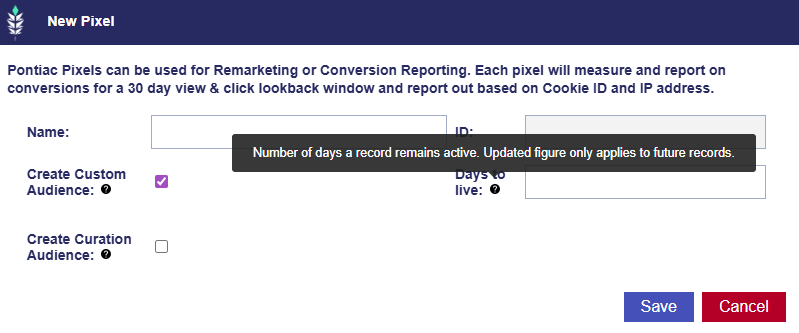
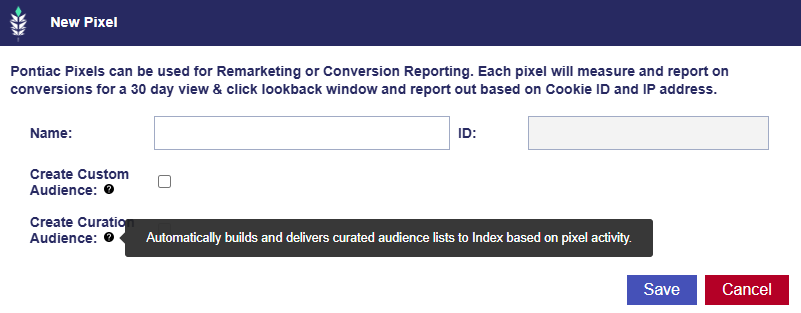
On the Advertiser level, where pixels are managed and created, we have updated the dialogue window to display: Pontiac Pixels can be used for Remarketing or Conversion Reporting. Each pixel will measure and report on conversions for a 30 day view and click lookback window and report out based on Cookie ID and IP address.

Additionally, we have added tooltips to the following fields:

  • Create Custom Audience: Creates a Pixel IP based audience from pixel fires.
  • Days to Live: Number of days a record remains active. Updated figure only applies to future records.
  • Create Curation Audience: Automatically builds and delivers curated audience lists to Index based on pixel activity.

Update to API Metric Endpoints

Release Date: February 2nd, 2026

The API Swagger documentation has been updated for all bidder metrics endpoints with the following changes: Removed ‘interval’, ‘aggregate’ remains supported, and for ‘start_date’ and ‘end_date’, they are now optional:

  • If not provided, endpoints return yesterday’s data.
  • If provided, endpoints return data for the specified range.

This behavior applies to all bidder metrics endpoints. Note that the Geo Metrics endpoints are working as expected under this new logic.

Standard Reporting Data Spinner

Release Date: February 10th, 2026

On the Bidder, under Reporting > Standard Reporting, once the desired fields are selected and the report is updated, all sections display a spinner to indicate that data is being processed. When loading is complete, the entire report is fully populated.

If any field is changed and the report is updated again, the report will reprocess and display the spinner until the updated data has finished loading.

Updated Creative Tracker Message

Release Date: February 10th, 2026

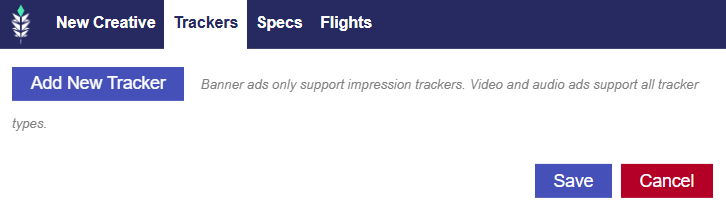
In the Creative Window > Trackers Tab, the system message has been updated for improved clarity around tracker support by ad format.

This change ensures users clearly understand which tracker types are supported based on creative format, reducing confusion.

First Party Audio Creatives

Release Date: February 10th, 2026

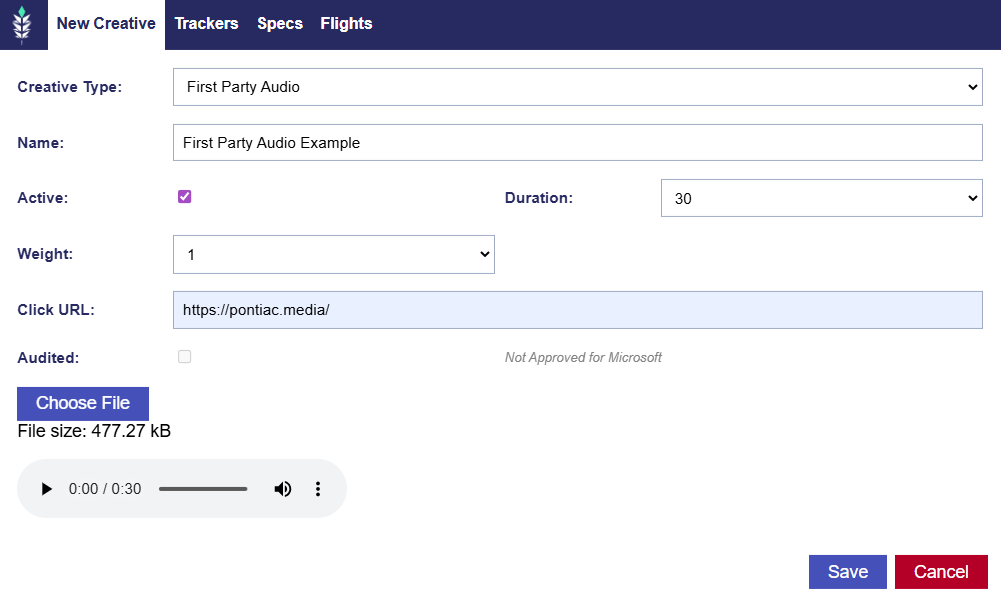
On the Bidder, Pontiac has added support for a First Party creative option for Audio creatives.

Navigate to Advertiser > Creatives > Click the New Creative button. On the New Creative window, select First Party Audio as the Creative Type, enter a Creative Name, then choose:

  • Duration: 5, 10, 15, 30, 45, 60, 75, or 90 seconds
  • Creative Weight: 1–10
  • Enter Click URL

Select the audio creative file and upload it. Click Save to submit the creative for audit.

Performance Tab Full Report Link

Release Date: February 24th, 2026

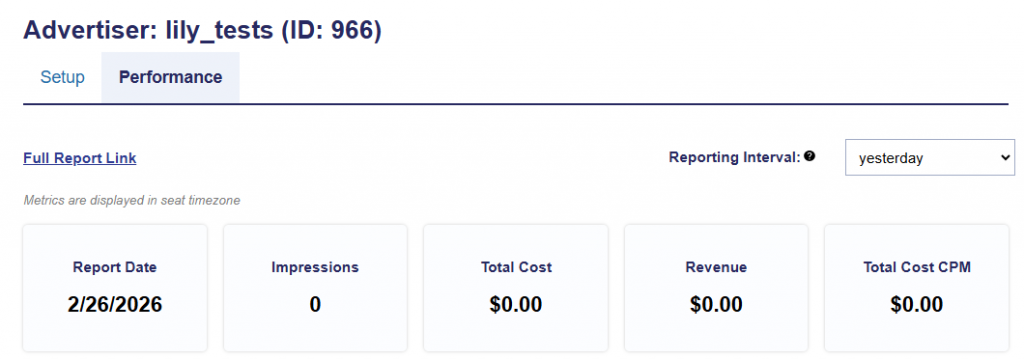
On the Advertiser, Campaign, and Line levels, in the Performance tab, there is a clickable link that brings users to the Reporting tab and auto populates the Standard Reporting section for yesterday. This is helpful to see summarized performance data quickly at a glance.

Previous Report Name

Release Date: February 24th, 2026

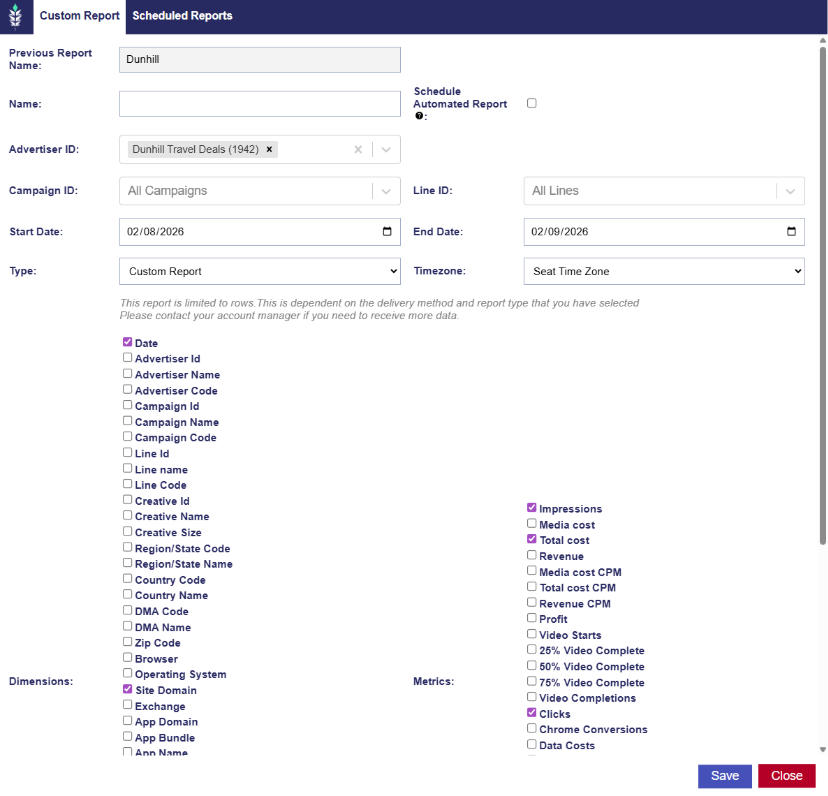
In the Bidder Reporting tab under Custom Reporting, when a user clones a report, a “Previous Report Name” field is displayed. This allows users to easily reference the original report name from which the new report was cloned.

Inventory Discovery Multi Field

Release Date: February 24th, 2026

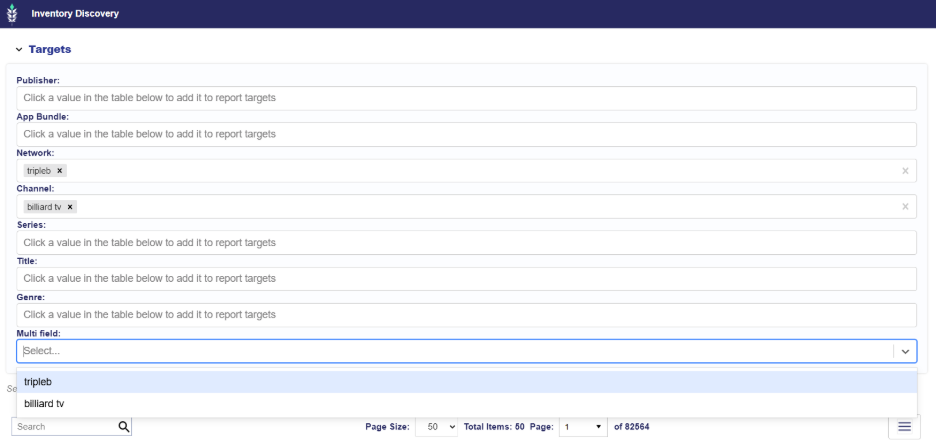
A Multi Field area has been added at the bottom of the Targets section within the Inventory Availability Report Inventory Discovery window. This enhancement allows users to combine targeting values from multiple content dimensions into a single selectable dropdown. Users can add values such as Network, Channel, or Title to the Multi Field section, enabling cross field targeting from one centralized location. Selections within the Multi Field section are evaluated across all supported content dimensions. If content matches any selected Multi Field value, regardless of whether it appears under Network, Channel, Title, or another supported field, the impression will be eligible for inclusion in the Inventory Availability Report.

Hide Subseat Margin Option

Release Date: February 24th, 2026

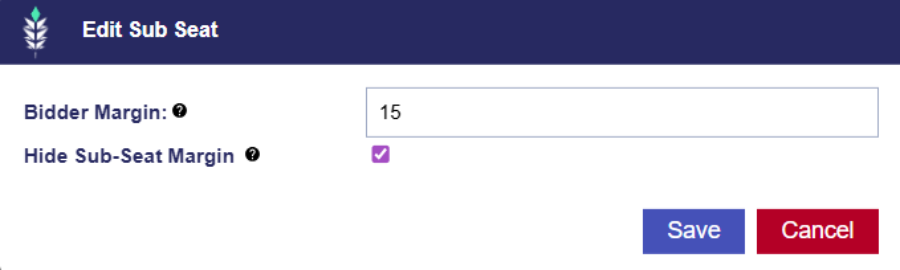
On a Master Seat with Subseats, within the Subseat tab, each Subseat includes an editable Bidder Margin field. A new Hide Sub Seat Margin option has also been added.

Typically the user bids at the actual media cost with out fees or subseat margins included in the bid price. When this setting is applied users bid at the bid price with all margins included and the parent seat margin is hidden. This is the preferable option for most subseat managers if a margin is applied to the subseat.

Auto Pace Tooltip

Release Date: February 24th, 2026

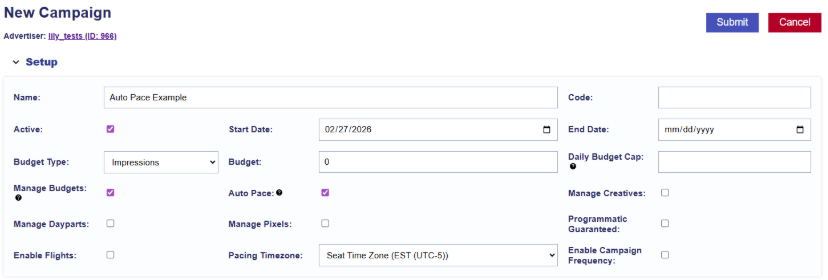
At the Campaign level, a tooltip has been added to the Auto Pace feature for additional clarity. The tooltip reads: Available when Manage Budgets is enabled. Automatically keeps budgets fluid between Lines and optimizes delivery to pace toward the Campaign goal. 

© 2026 Pontiac Wiki Sec · All Rights Reserved · Developed by RDK

  • Contact Us
  • Privacy Policy
  • Terms & Conditions
  • Pontiac.media