Bid at Floor Price Plus
Release Date: December 10th, 2025
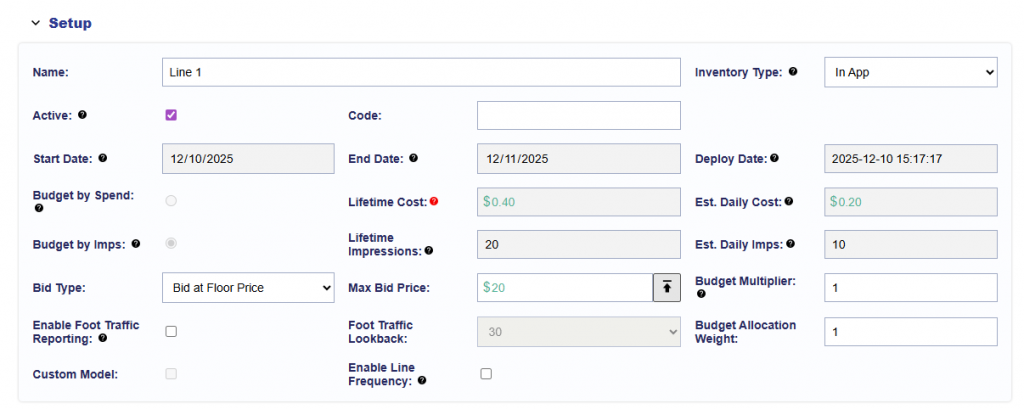
The platform now includes an option for Floor Plus Bidding, which allows buyers to automatically increase their bid above a deal’s floor price. A new arrow button next to the Max Bid Price input box was added where a configuration dialog will pop up.
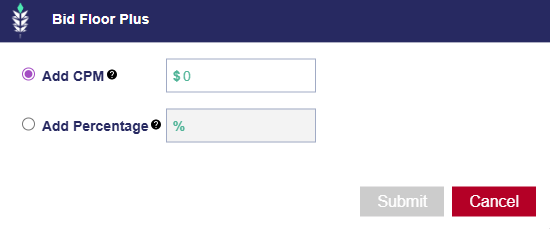
Inside the dialog, users can choose between two bidding adjustment methods:
- Add CPM
- Enables an input box where the user can enter a fixed CPM value.
- Tooltip: “Add additional fixed price on top of the deal floor. Example: Deal Floor = 1.10 and 0.10 is entered here, bids will be placed at 1.20.”
- Add Percentage
- Enables an input box where the user can enter a percentage value.
- Tooltip: “Add a percentage of the floor to the bid price. Example: Deal Floor = 1.10 and 10 is entered here, bids will be placed at 1.21.”
Only the input field for the selected option is active; the other remains disabled. When the user selects an option and saves, the chosen adjustment applies directly to bidder logic so that all bids reflect the Floor Plus configuration.