Pontiac Wiki Pontiac Wiki

December 2025

December 2025

  • Creative Macro Passthrough
  • New VAST Event Trackers
  • Seat Currency in Custom Reporting
  • VAST Tag Visible for First Party Creatives
  1. Home
  2. Platform Updates
  3. New Features
  4. December 2025

Seat Currency in Custom Reporting

Release Date: December 1st, 2025

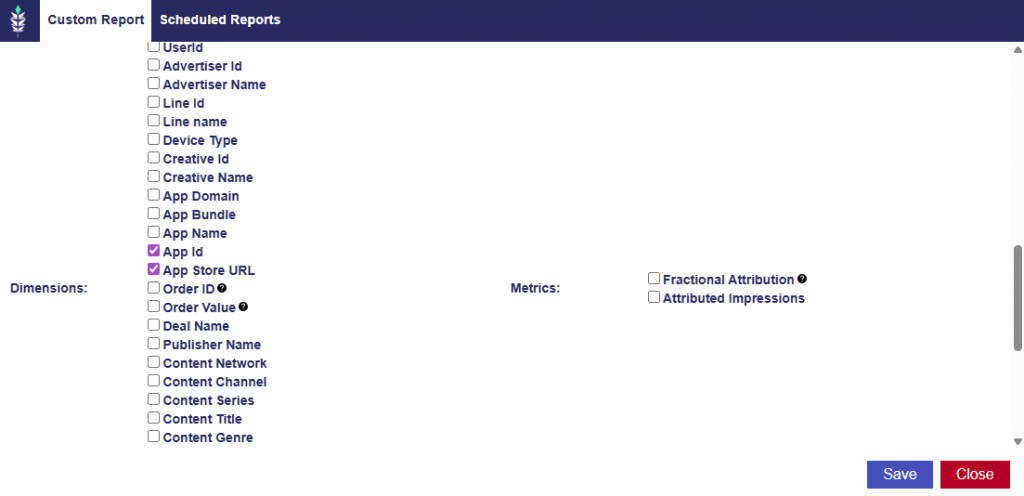
A new option has been added to Reporting > Custom Reporting that allows users to view cost-related metrics in the Seat’s currency, in addition to the default USD values. By default, all cost metrics in Custom Reporting display in USD. When a user selects the new “Include Seat Currency Metrics” checkbox in the report window, the report will automatically add extra fields that show each metric converted into the Seat’s assigned currency (ex, EUR, DKK, AUD, GBP).
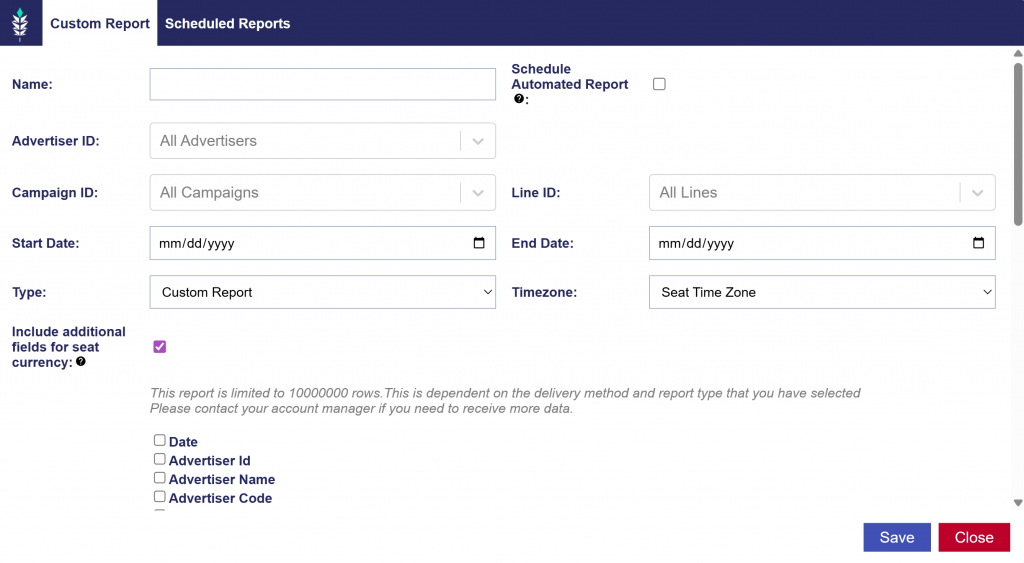
When the checkbox is enabled, Custom Reporting will generate a second set of all primary cost metrics, converted into the seat’s currency. These include:

  • Media cost
  • Total cost
  • Revenue
  • Media cost CPM
  • Total cost CPM
  • Revenue CPM
  • Profit
  • Data Costs
  • Art Fee
  • DCM Hosting Fee
  • CC Fee
  • Foot Traffic Fee
  • Contextual Fee
  • Chalice Fee

Example output to demonstrate the dual USD and Seat currency column metrics:

New VAST Event Trackers

Release Date: December 1st, 2025

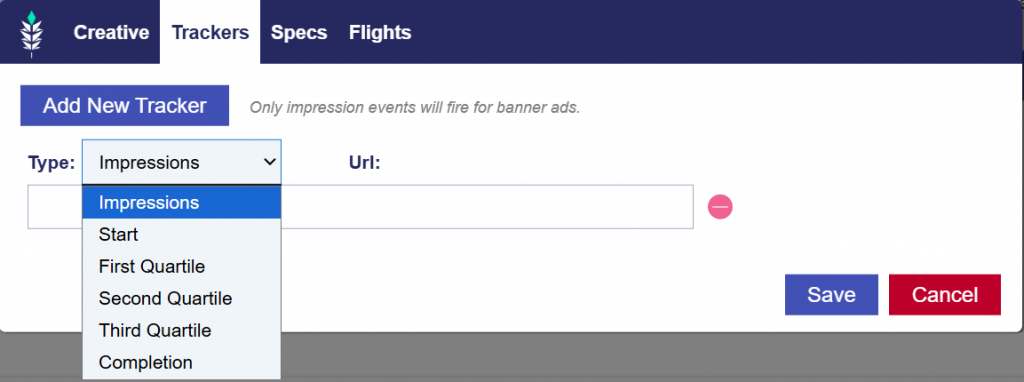
Creative tracking now supports multiple VAST events in addition to Impression tracking. Users can assign a pixel to a specific video event, and the system will insert the tracker into the VAST tag when the creative is saved.

Supported Event Types:

  • Impression
  • Start
  • First Quartile
  • Second Quartile
  • Third Quartile
  • Completion

Note: Only Impression events will fire for banner ads. If a banner creative includes any non-Impression trackers, a warning message will appear:

  • This is a banner ad that has trackers appended to track events other than impressions. These trackers will not work.

Users may then choose:

  • Save: The system will store the trackers, but only Impression will be used.
  • Cancel: Returns to the creative upload/edit dialog without saving.

Creative Macro Passthrough

Release Date: December 1, 2025

This update allows creatives to include macros that are not populated by the platform. Instead, these macros are passed through to the advertiser’s ad server, which will populate them when the ad serves.

When adding a creative tag or tracker, you can include a macro using this placeholder format:

  • $${MACRO_NAME}

When the creative is saved, the platform automatically converts this into:

  • ${MACRO_NAME}

This ensures the macro is sent back to the ad server without modification.

Notes:

  • Any macro name can be used. The platform does not validate or modify macro contents.
  • The platform does not populate these macros; the ad server is responsible for rendering the correct value.

VAST Tag Visible for First Party Creatives

A new section has been added to the Creative Details dialog to display the VAST tag for First Party creatives. This section is read only, so users cannot edit the tag. It allows users to review the full VAST tag safely, without risk of accidental changes while updating other creative details.

© 2025 Pontiac Wiki Sec · All Rights Reserved · Developed by RDK

  • Contact Us
  • Privacy Policy
  • Terms & Conditions
  • Pontiac.media