Pacing & Dayparts Updates
Release Date: August 26th, 2026
The Pacing & Dayparts section on the Campaign and Line levels has been updated to improve the layout and provide clearer tooltips around pacing and daypart behavior.
Layout
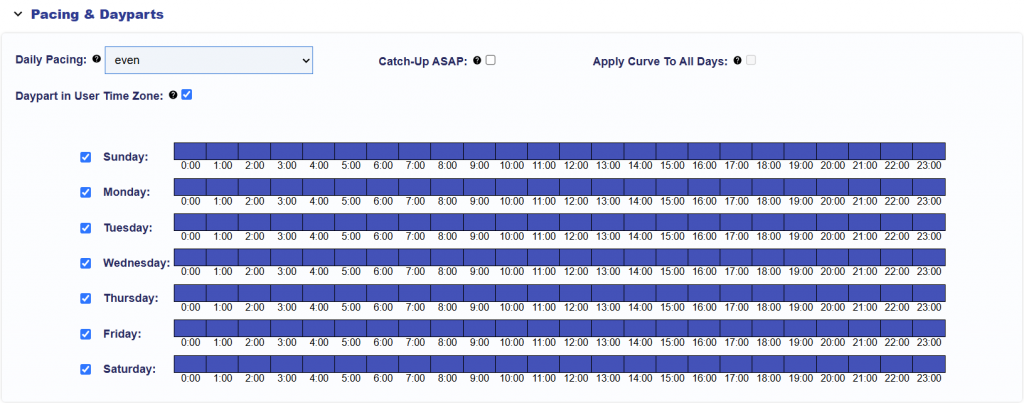
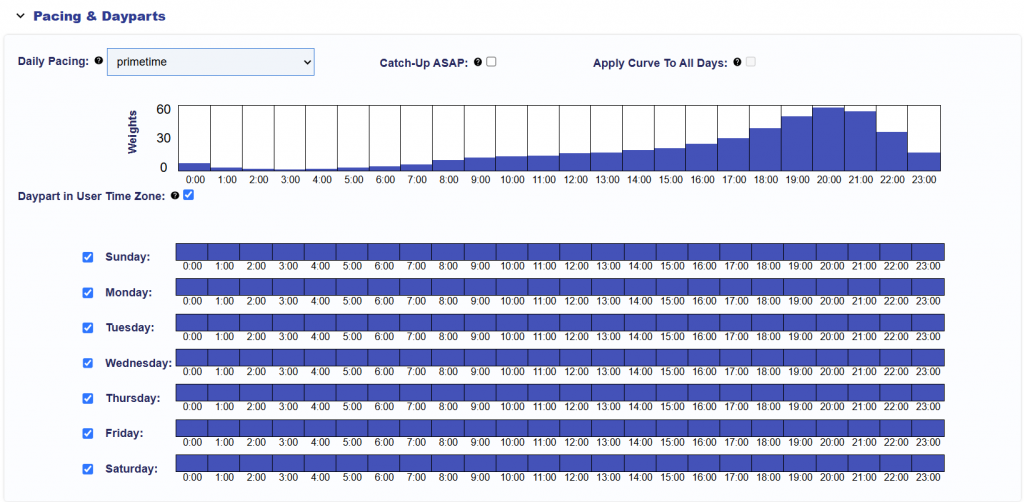
The Daily Pacing controls now use a more compact layout, with Apply Curve to All Days displayed alongside Daily Pacing and Catch-Up ASAP. When Primetime or Custom Daily Pacing is selected, Daypart in User Time Zone now appears below the pacing chart and above the day and hour selections.
Tooltips
The associated tooltips have also been updated to clarify how each setting works:
- Daily Pacing: Controls how the daily budget is distributed throughout each pacing day. Daily Pacing weights are evaluated using the campaign’s selected Pacing Time Zone: {campaign_pacing_timezone}.
- Even: Spends the daily and lifetime budgets as evenly as possible.
- ASAP: Spends the daily budget as quickly as possible while pacing the lifetime budget evenly.
- Primetime: Uses a predefined hourly weighting curve to favor higher-weighted hours in the selected Pacing Time Zone.
- Custom: Uses the configured hourly weighting curve in the selected Pacing Time Zone.
- Daypart in User Time Zone: When enabled, Dayparts determine impression eligibility using each user’s local day and hour.
When disabled, Dayparts use the campaign’s selected Pacing Time Zone: {campaign_pacing_timezone}. This setting affects Daypart eligibility only. It does not shift Daily Pacing or its hourly weights into the user’s local time zone. - Apply Curve to All Days: Available only when Primetime or Custom Daily Pacing is selected. The weights are evaluated using the campaign’s selected Pacing Time Zone: {campaign_pacing_timezone}. When enabled, the same hourly pacing weights are applied to all selected days. When disabled, custom pacing weights can be configured independently for each selected day and hour.