Pacing Tab Updates
Release Date: April 14th, 2026
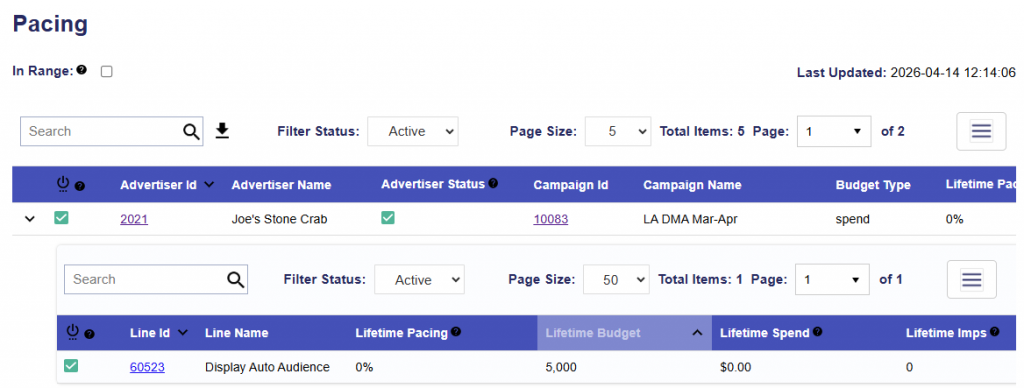
The pacing tab now includes Advertiser, Campaign, and Line Names in their own column.
Release Date: April 14th, 2026
The pacing tab now includes Advertiser, Campaign, and Line Names in their own column.
Release Date: April 14th, 2026
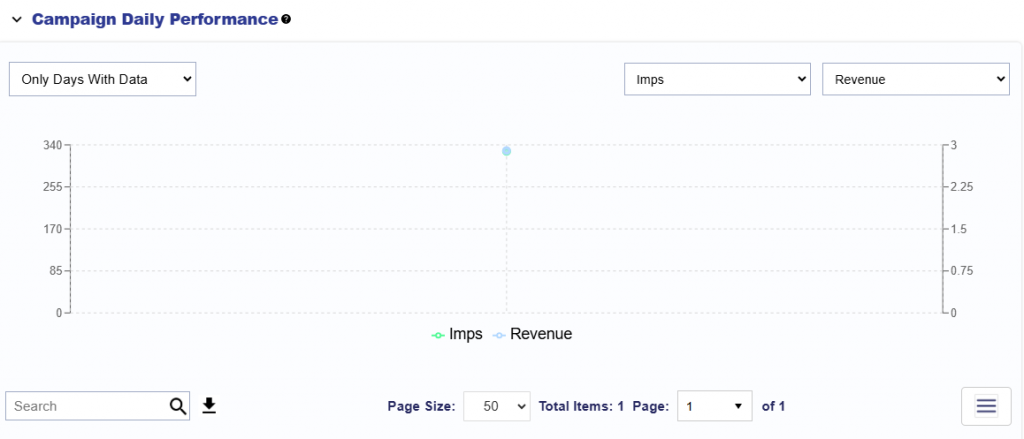
All performance tab tables are now downloadable. Click the arrow by the search bar to quickly download the entire table as a csv file.
Advertiser Level:
Campaign Level:
Line Level:
Release Date: April 14th, 2026
When importing deals, users now have the option to select Native as a Media Type, enabling support for native specific inventory.
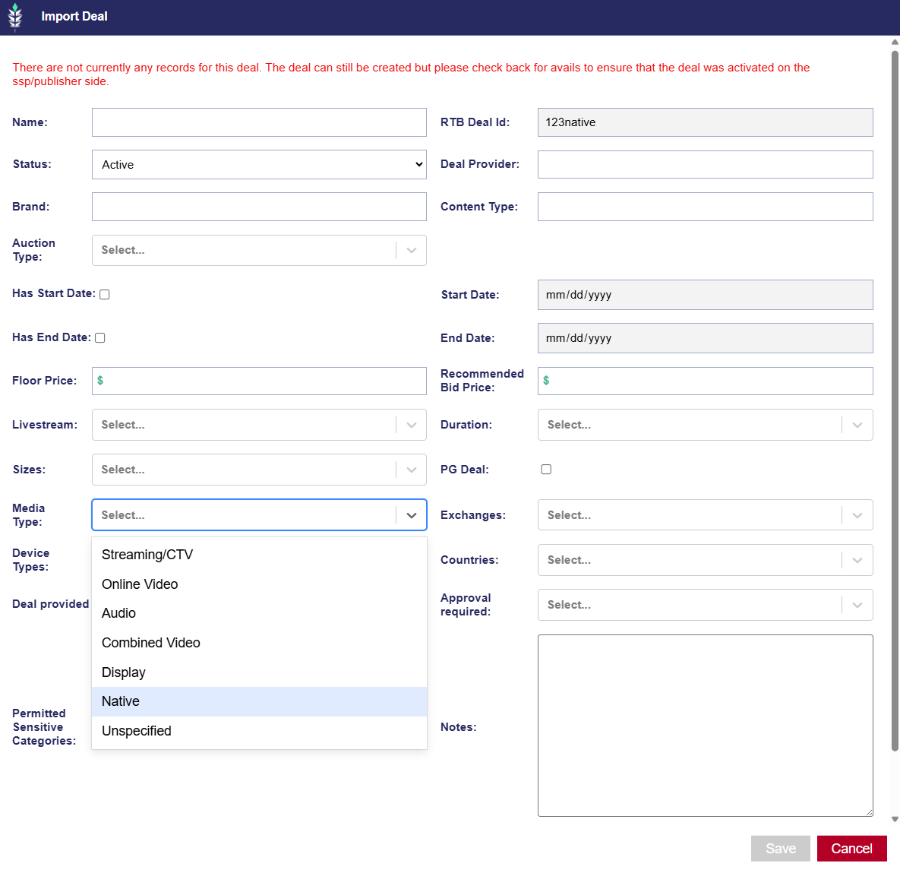
For more information on how to import your own deals, see here: Import Deal
Release Date: April 14th, 2026
On the ART platform, Inventory Availability reports generated from an existing line now reflect the effective targeting derived from both campaign- and line-level settings. This ensures more accurate forecasting and alignment with actual delivery conditions.
For example, if zip code 10010 is set at the campaign level but not explicitly applied at the line level, it will automatically be included in the line’s effective targeting used for the report.
Release Date: April 14th, 2026
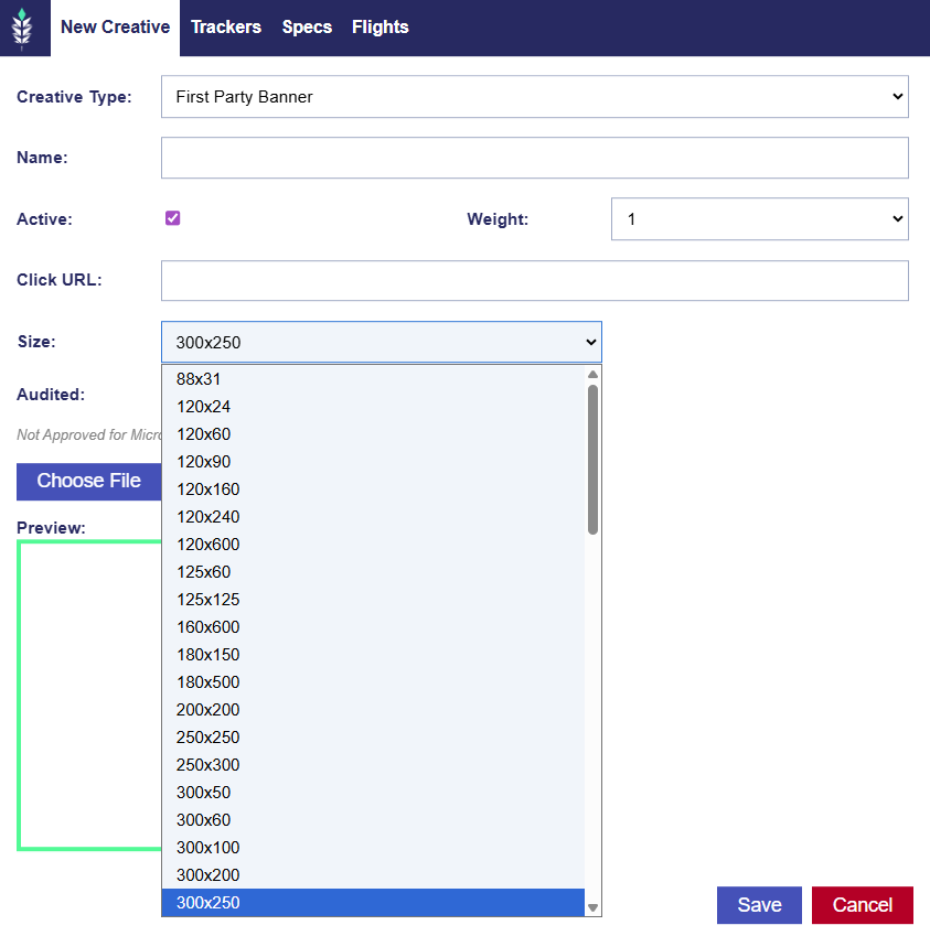
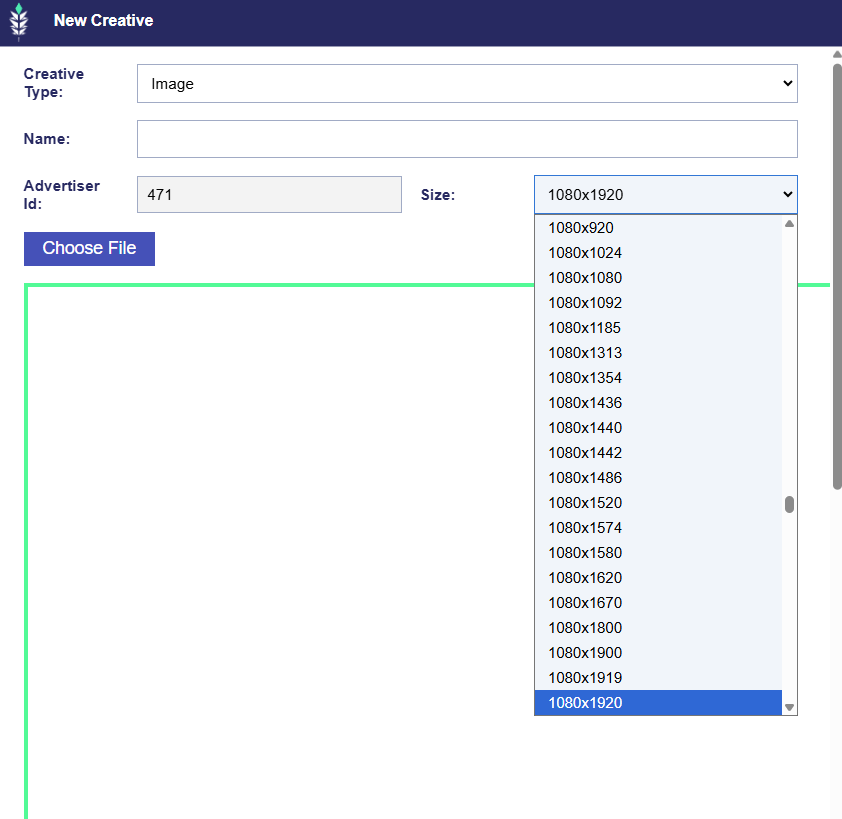
When a user is uploading a new creative to the Bidder and DOOH platforms, the selectable sizes for First Party Videos, First Party Banner, HTML5, and DOOH creatives are now sorted by the width’s ascending order and is searchable. Just type the number to jump to the desired size.
Release Date: April 14th, 2026
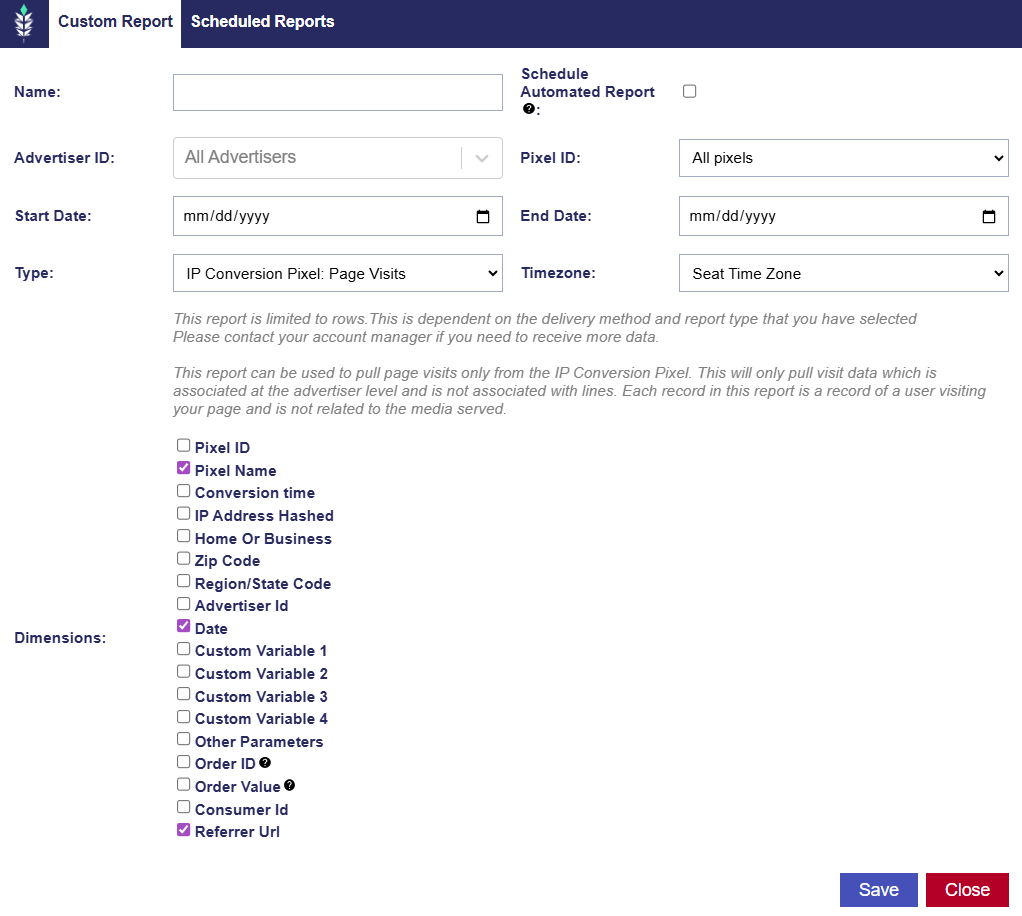
When generating an IP Conversion Pixel: Page Visit report, the Referrer URL has been added as a selectable dimension. This report pulls page visits only from the IP Conversion Pixel at the advertiser level and is not associated with lines or media served. Each record represents a user visiting your page based on a pixel fire. The Referrer URL indicates where the visitor came from before landing on your site, when available.
Release Date: April 21st, 2026
On the Line level in the Performance tab, below the Bid Data section, the Troubleshoot section runs a series of checks to help identify delivery blockers related to creatives, targeting, deals, bidding, and auction performance. Users can run all checks at once using the Run All button or execute them individually.
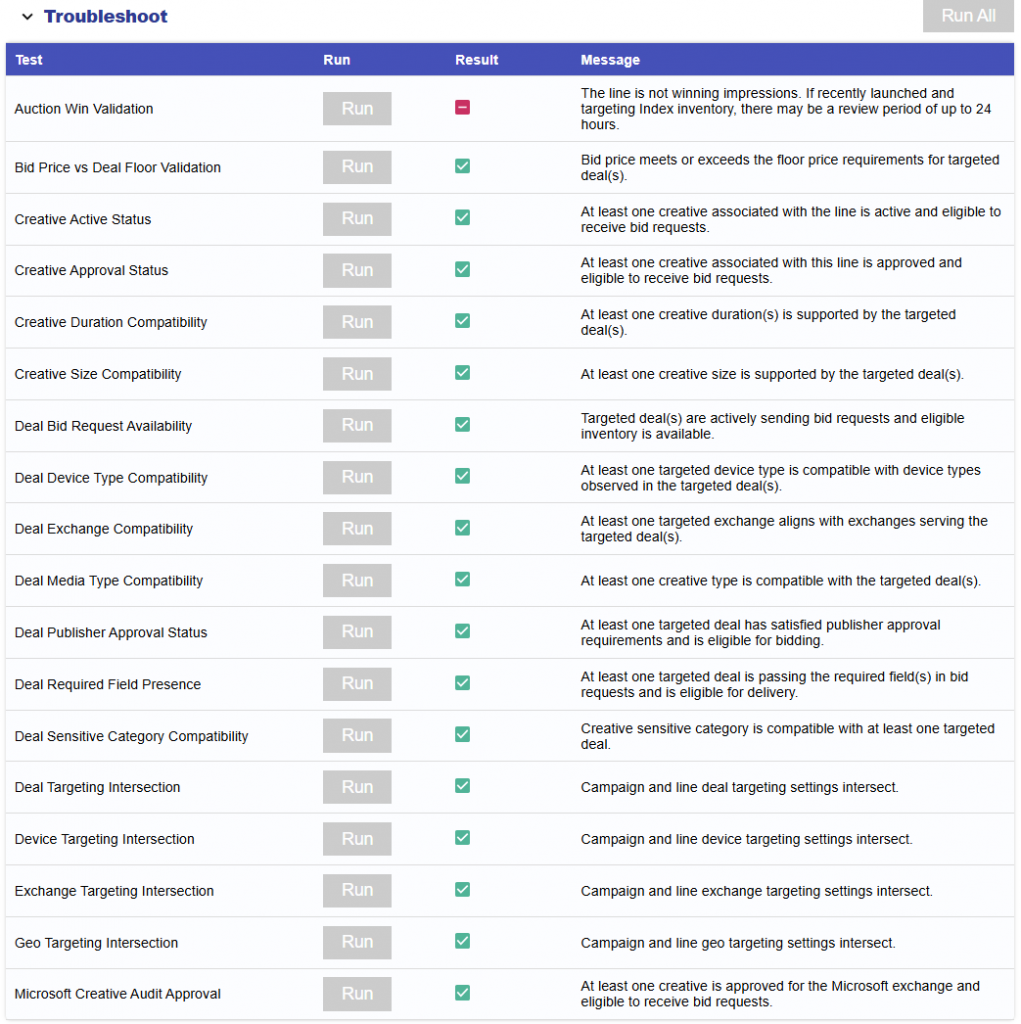
Checks
Additional Notes