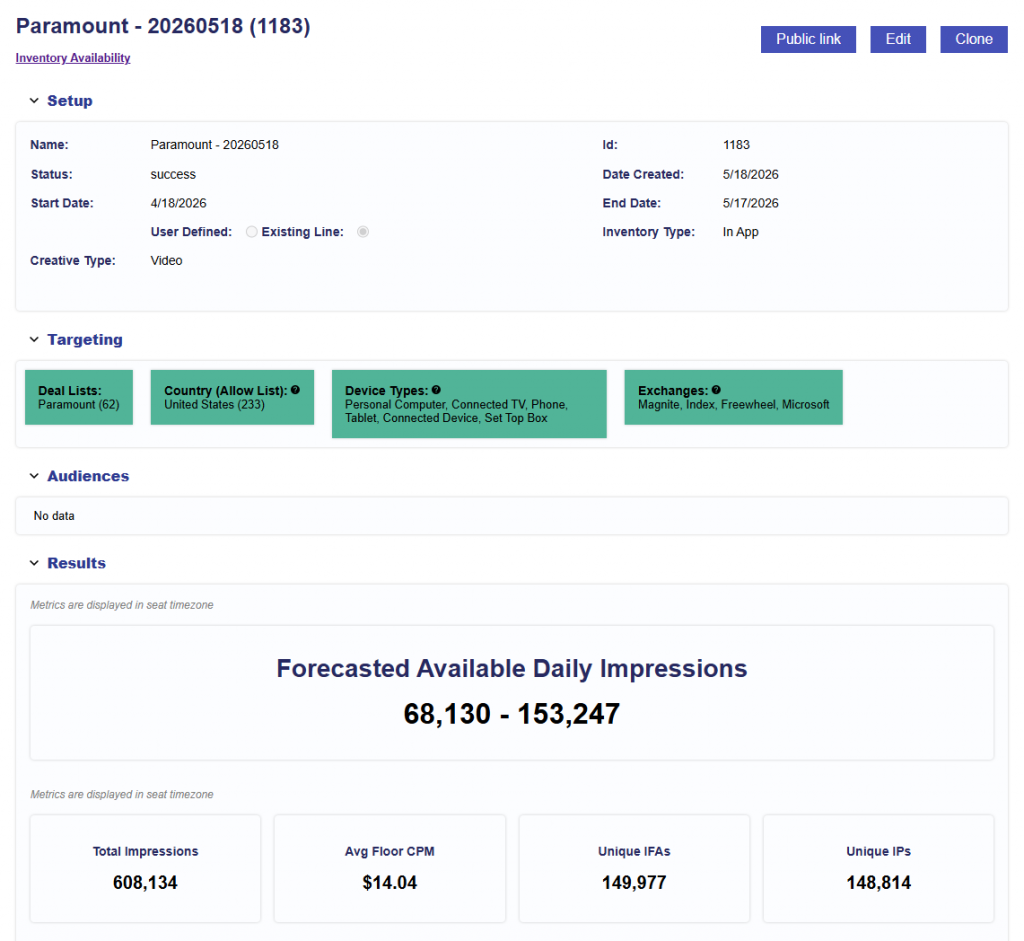
Inventory Availability
The Line Performance tab includes an Inventory Availability section that allows users to generate an Inventory Availability Report using the Line’s current setup.
Select Run Report to generate a new report.
The report is generated using the line’s current configuration, including:
- Inventory type
- Creative type
- Advertiser
- Campaign
- Line
- Effective targeting (Intersection of the Campaign and Line)
- Line level Audiences
- If audiences are applied to the Campaign level, users can manually add an additional group and then run the report, but it will not be automatically included.
- See Boolean Logic for more details on any and all logic for targeting between groups.
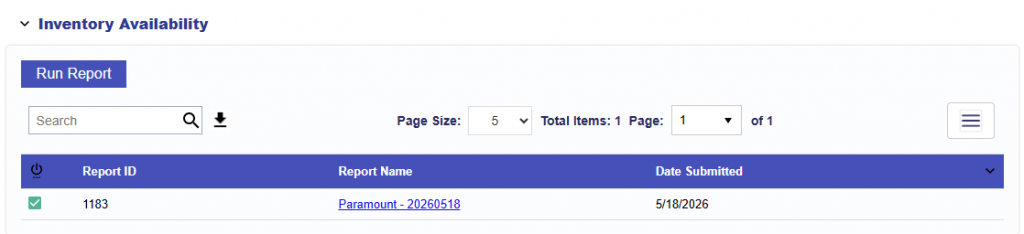
After a report is submitted, it appears in the Inventory Availability report table for that line.
Use Inventory Availability to determine:
- Whether inventory exists for the current setup.
- Whether targeting may be too restrictive.
- Whether selected Deals provide sufficient scale.
- What bid floors are available.
- Whether expanding targeting or inventory may improve delivery.
This is particularly useful when Eligible Requests are low or zero.
The table includes:
- Report Status: Shows whether the report is processing, complete, or has an issue
- Report ID
- Report Name: Generated using the line name and date. When users click on the name, they are taken to the full report.
- Date Submitted
Reports are ordered by Date Submitted, with the newest reports shown first.
Results
Once the report finishes processing, select the Report Name to review the results.
For additional details, see the Inventory Availability Tool