Use a Campaign Template to Create a New Campaign
Saved Campaign Templates can be used to create a new Campaign with a previously configured Campaign structure.
Depending on how the Template was configured, the new Campaign may inherit:
- Campaign Setup settings
- Campaign-level Targeting
- Included Lines and their saved configurations
- Pacing & Dayparts settings
- Frequency & Recency settings
- Applicable Campaign management settings, such as Manage Budgets, Manage Creatives, Manage Dayparts, Programmatic Guaranteed, or Flights
Using a Campaign Template creates a new Campaign based on the saved Template configuration. The resulting Campaign is independent from the Template and can be edited as needed.
To create a new Campaign from a Template:
- Navigate to the applicable Advertiser.
- Locate the Campaign Templates section within the Campaigns section.
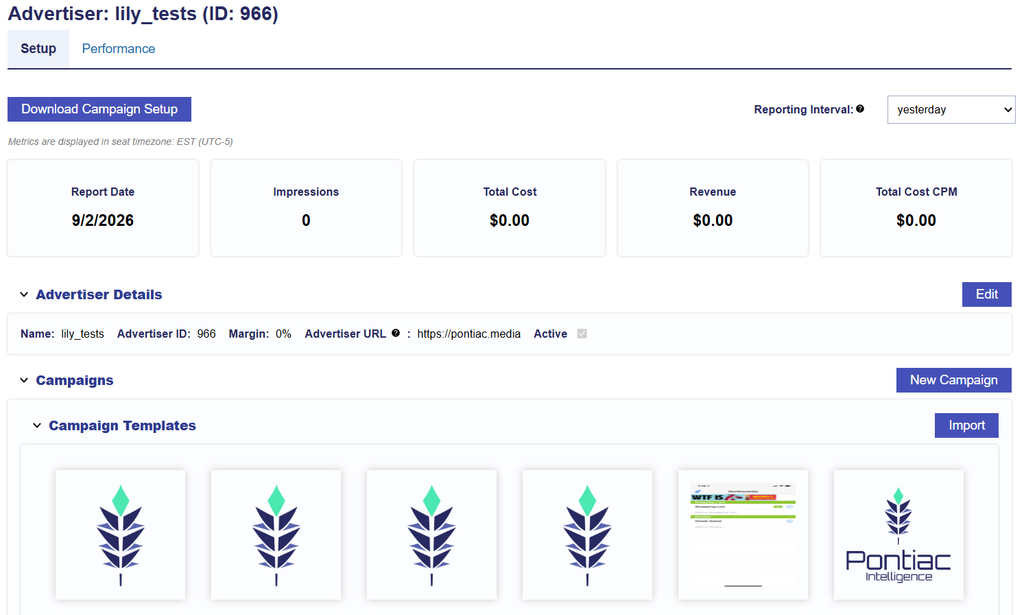
- Select the desired Campaign Template Icon.
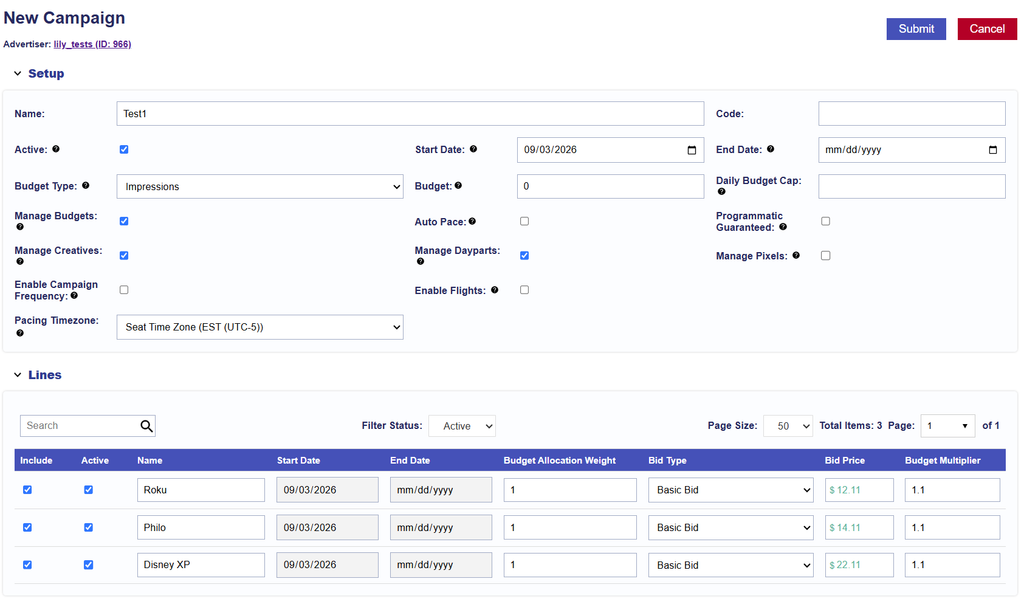
- A new Campaign will be created using the settings stored in the Template.
- Review the Campaign Setup settings inherited from the Template.
- Review any Lines included with the Template and confirm that each Line is appropriate for the new Campaign.
- Make any Campaign- or Line-specific adjustments needed for the new strategy.
- Select Submit to save the Campaign.
Review the Campaign Before Launch
Templates provide a starting configuration and should always be reviewed before the Campaign is activated.
Confirm the following as applicable:
- Campaign Setup: Review the Campaign Name, Active Status, Budget Type, management settings, and Pacing Time Zone.
- Dates and Budgets: Enter or update the Campaign dates and budgets required for the new Campaign.
- Lines: Confirm that the appropriate Lines were included and remove, add, or edit Lines as needed.
- Line Budgets and Bids: Review Line budgets, Budget Multipliers, bid settings, and any Advanced Bid Controls.
- Targeting: Confirm that Campaign- and Line-level Targeting is appropriate for the new Advertiser, Campaign, inventory, geography, and strategy.
- Deals: Confirm that any saved Deal targeting is still applicable and available for the new Campaign.
- Pacing & Dayparts: Review the saved pacing strategy, Dayparts, and applicable time zone settings.
- Frequency & Recency: Confirm that the saved Campaign- and Line-level frequency settings are appropriate.
- Creatives: Associate the applicable Creatives and confirm that Creative management is configured at the intended Campaign or Line level.
- Pixels: Associate any required tracking Pixels at the appropriate level.
- Flights: If Flights are enabled, review Flight dates, budgets, included Lines, and applicable Flight settings.
- Foot Traffic Reporting: If included on any Lines, review the saved locations and reporting configuration.
- Active Status: Confirm the Campaign and applicable Lines should be Active before launch.
Important: A Campaign created from a Template does not remain connected to the original Template. Changes made to the Campaign do not update the Template, and future changes to the Template do not update Campaigns that were previously created from it.
For information on updating the reusable configuration itself, see Edit a Campaign Template.