Starting A Conversation
Now that you’ve seen how the Pontiac Assistant works, start experimenting with your own prompts.
Ask questions, explore campaign performance, review setup, troubleshoot delivery, or try supported bulk updates. The more specific you are about what you want to accomplish, the more useful the Assistant can be.
A few ideas to try:
- “Show me all active campaigns.”
- “Which campaigns are under pacing?”
- “Summarize the setup for Campaign 14142.”
- “Why is this line not spending?”
- “What creatives are approved for this advertiser?”
- “Show me performance by exchange for the last 7 days.”
- “How does Primetime pacing work?”
- “Walk me through creating a new campaign.”
You can also ask follow-up questions and build on the same conversation rather than starting over.
Start simple, review the results, and keep exploring. The Pontiac Assistant is designed to help you spend less time navigating the platform and more time getting things done.
Not sure where to begin? Ask the Assistant what it can do.
Example Prompt: What capabilities do you have?
Example Output:
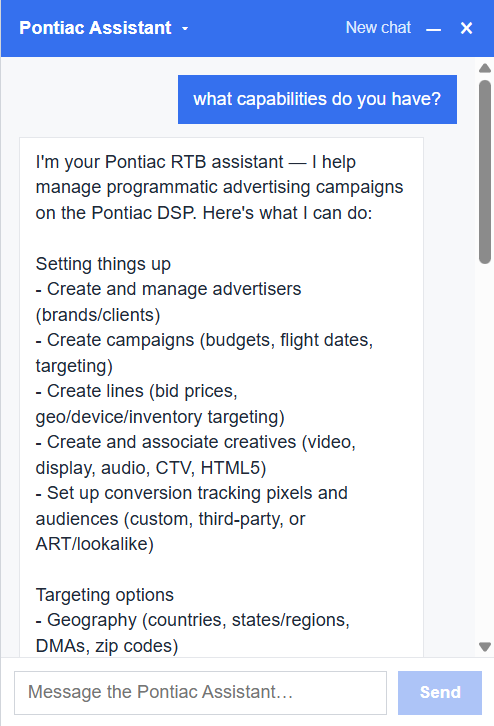
I’m your Pontiac RTB assistant — I help manage programmatic advertising campaigns on the Pontiac DSP. Here’s what I can do:
Setting things up
- Create and manage advertisers (brands/clients)
- Create campaigns (budgets, flight dates, targeting)
- Create lines (bid prices, geo/device/inventory targeting)
- Create and associate creatives (video, display, audio, CTV, HTML5)
- Set up conversion tracking pixels and audiences (custom, third-party, or ART/lookalike)
Targeting options
- Geography (countries, states/regions, DMAs, zip codes)
- Device types, browsers, operating systems
- Exchanges, deal lists, site/app lists
- Dayparting, frequency capping
- Private marketplace deals (browse, import, and build deal lists)
Budget and pacing
- Even or ASAP pacing
- Daily budget caps
- Flighted budgets (splitting a campaign’s budget across dated periods, with optional rollover)
Monitoring and optimization
- Performance metrics by campaign, line, creative, geography, device, exchange, deal, or day
- Real-time bid data and pacing reports
- Custom reports (flexible dimensions/metrics, exportable)
- Bulk updates across multiple campaigns or lines
- Cloning a proven campaign as a starting point for a new one
Other useful things
- Searching across all your entities by name or ID
- Reference data lookups (DMAs, regions, exchanges, IAB categories, etc.)
- Templates for quick campaign/line setup
- A guided step-by-step campaign builder for more complex setups
- Wiki search for how-to and conceptual questions about the platform
- Support ticketing if you need to reach the Pontiac team