Sub Seats Pacing Tab
For Master Seats with Sub Seats enabled, navigate to: Master Seat > Sub Seats > Pacing
The Pacing subtab provides a high-level view of Campaign pacing across all associated Sub Seats, allowing Master Seat users to identify delivery issues without switching into each Sub Seat individually.
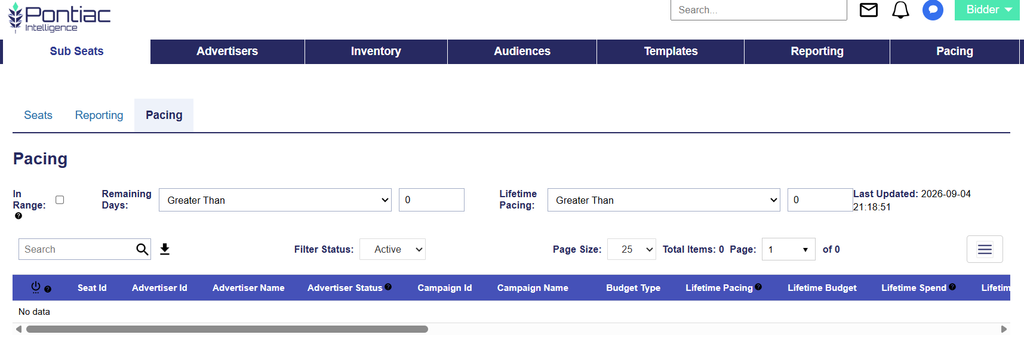
The table provides the same core pacing functionality as the main Pacing tab, with additional Sub Seat context.
Additional and enhanced fields include:
- Seat ID: The unique Pontiac ID assigned to the Sub-Seat.
- Advertiser ID: The unique Pontiac ID assigned to the Advertiser. Select the Advertiser ID to navigate directly to the Advertiser. Hover over the ID to view the Advertiser Name.
- Advertiser Status: Indicates whether the Advertiser associated with the Campaign is Active or Inactive.
- Campaign ID: Select the Campaign ID to navigate directly to the Campaign. Hover over the ID to view the Campaign Name.
These links make it easier to move directly from the Master Seat pacing view to the applicable Advertiser or Campaign for further investigation or adjustments.