ChatGPT Setup
Follow the instructions below to connect to the Pontiac MCP through ChatGPT:
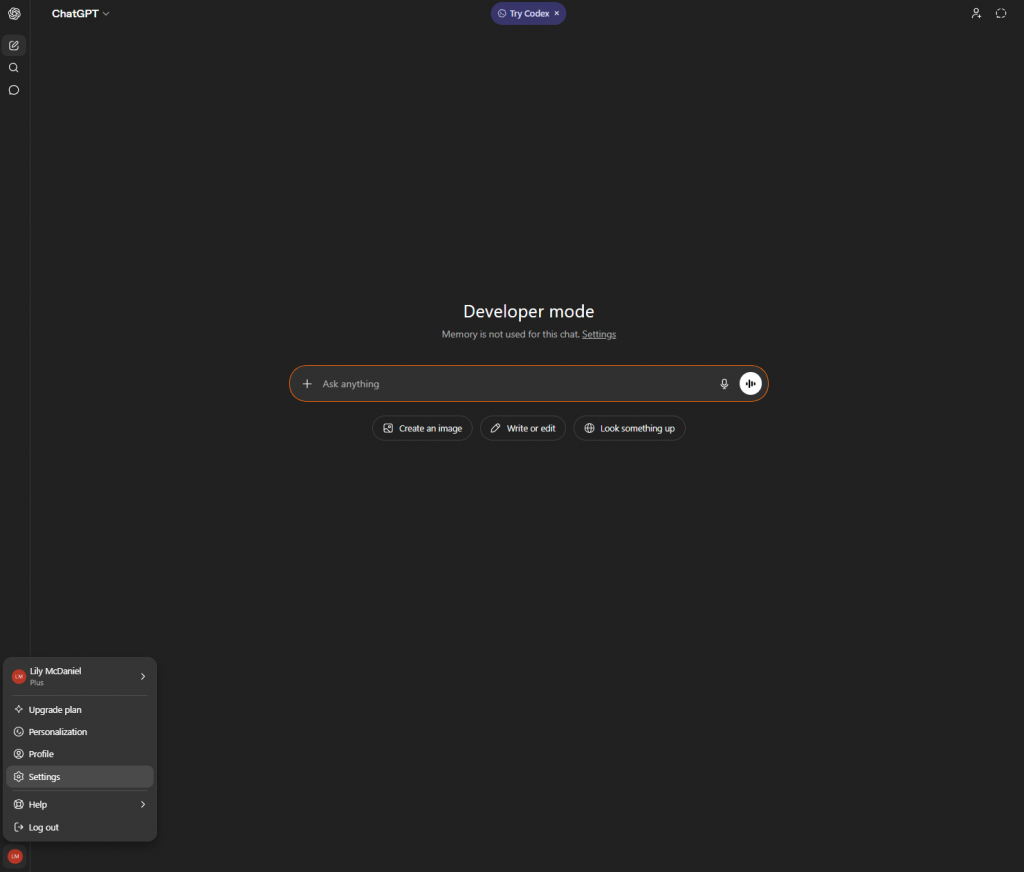
- Go to ChatGPT
- Open ChatGPT Settings
- Click your profile (bottom left)
- Select Settings
3. Navigate to Apps / Connectors
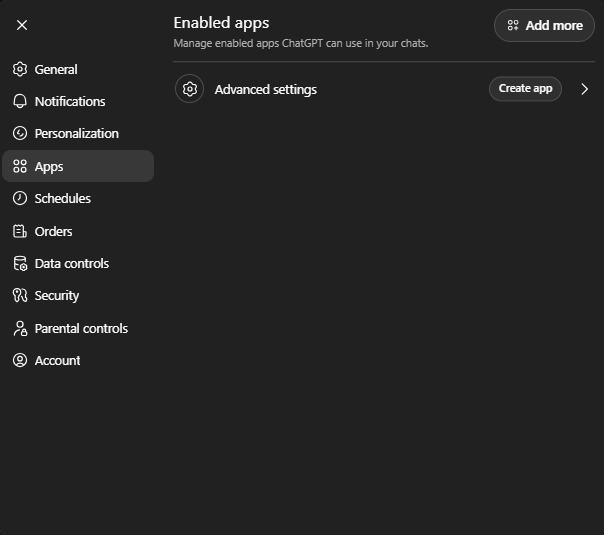
4. Select Advance Settings > Create App
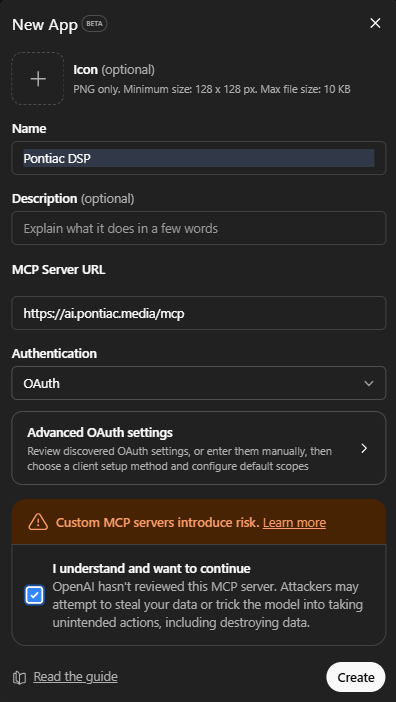
5. Input the following information:
- Give the app a name: For example Pontiac DSP
- Enter the MCP Server URL: https://ai.pontiac.media/mcp
- Check the I understand and want to continue checkbox
- Click Create.
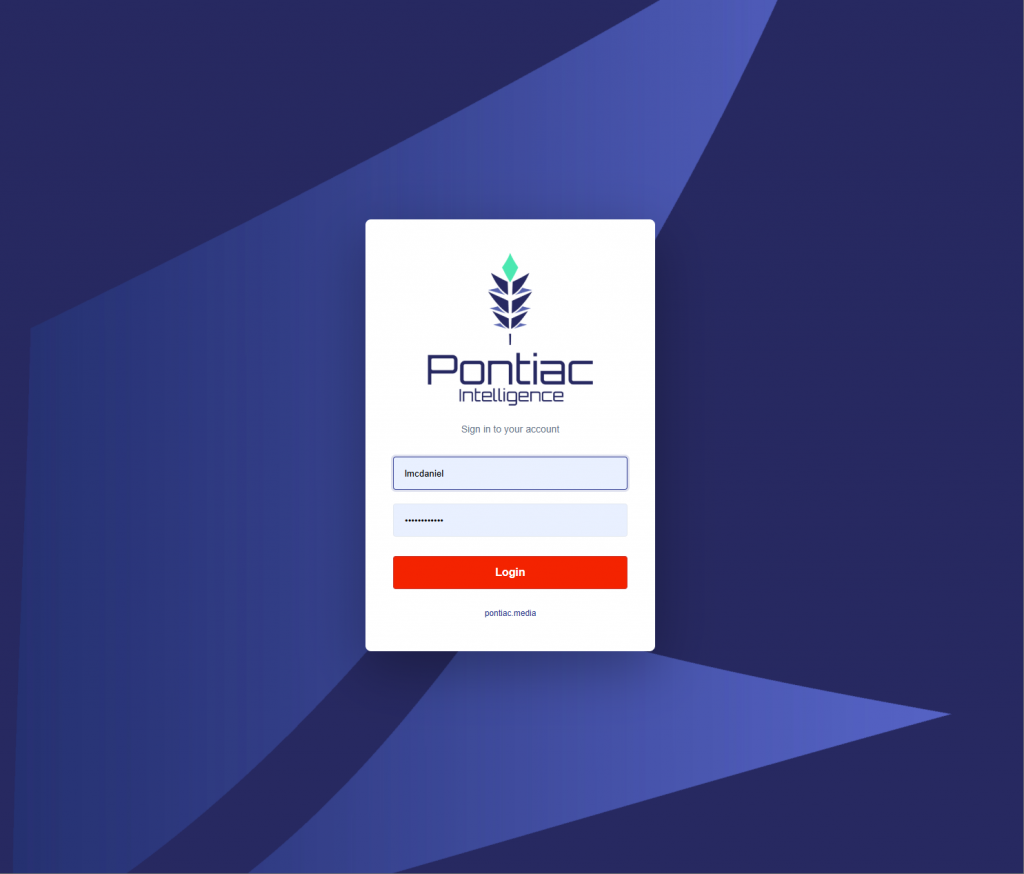
6. The screen will then take you to the Pontiac login console page. Enter your Username and Password as normal. Click Login.
7. Ensure MCP connection.
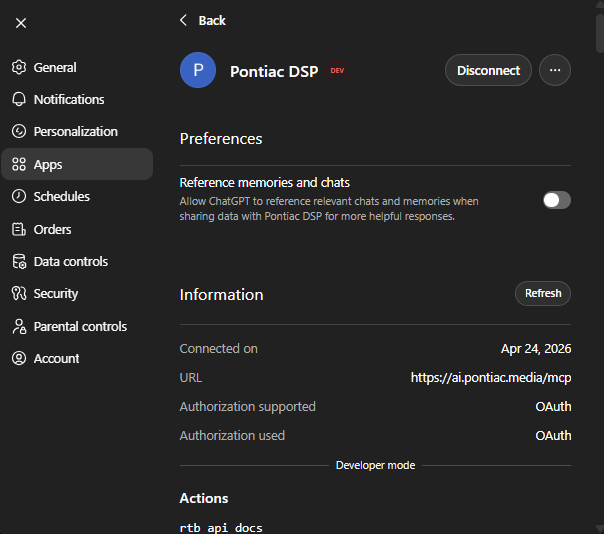
8. Start playing around! Some examples to kick off with:
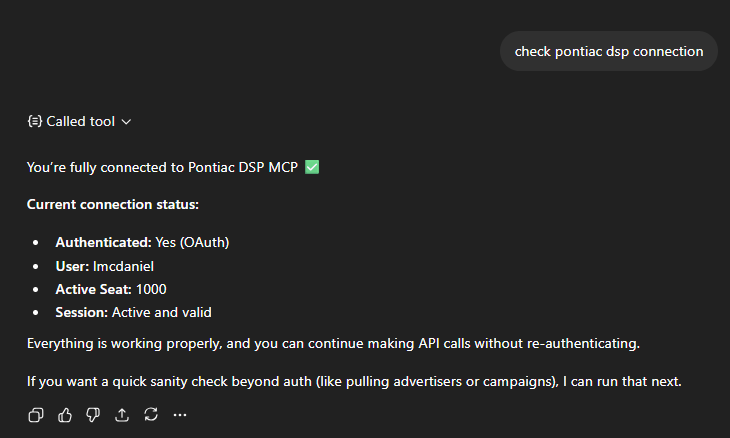
Connection
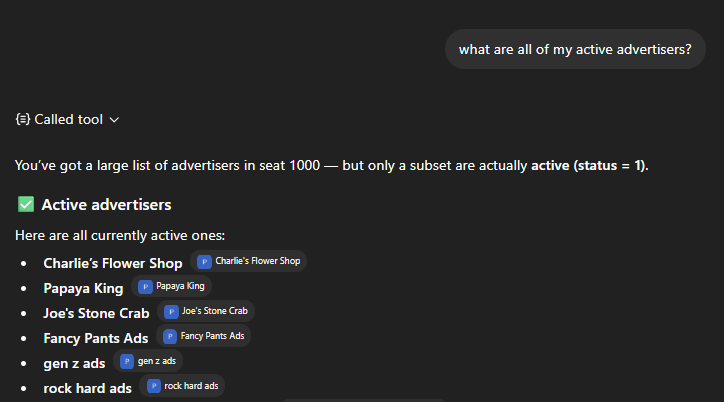
Check on active advertisers
Get information about specific advertisers: Number of Lines
