Line Setup Overview
A Line executes a specific media buying strategy within a Campaign. While the Campaign organizes one or more strategies under a shared structure, the Line controls the actual bidding, delivery, and spend.
Each Campaign must contain at least one active Line in order to deliver impressions. Multiple Lines can be created under a single Campaign to separate strategies by factors such as:
- Inventory source/Publisher
- Audience
- Geography
- Device
- Media type
- Bidding strategy
- Optimization approach
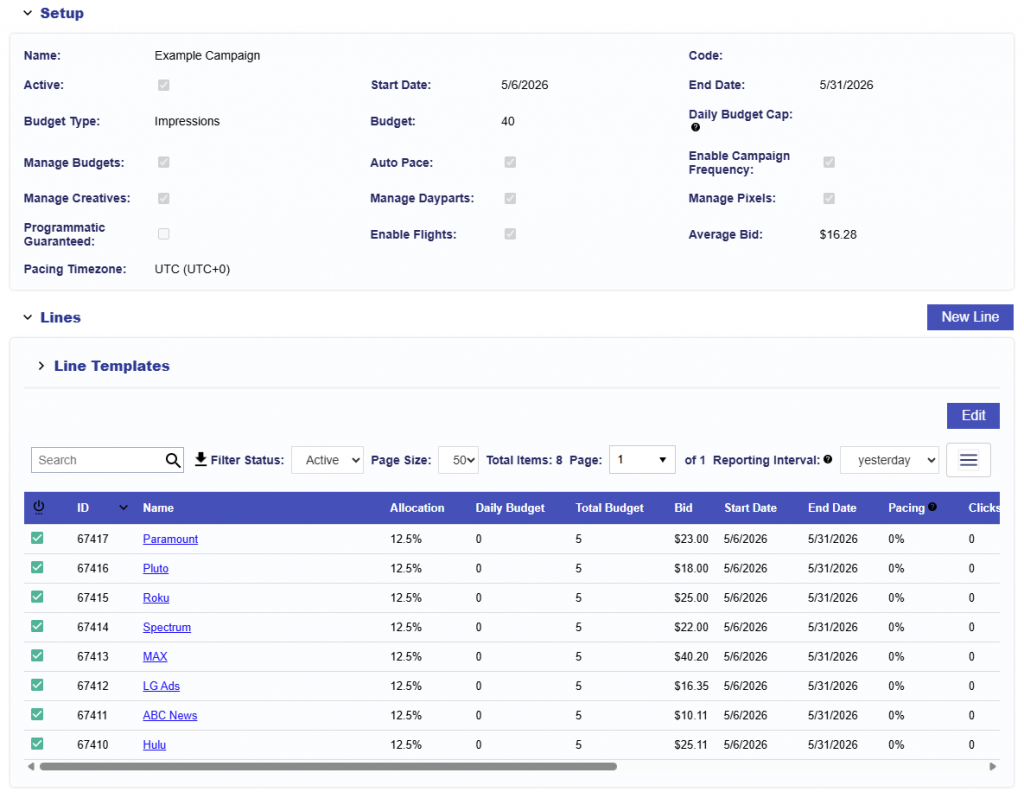
Lines can inherit certain settings managed centrally at the Campaign level while also defining their own strategy-specific configuration. This allows shared requirements to be applied consistently across the Campaign while individual Lines control the targeting, inventory, bidding, and optimization needed for their specific strategy.
Line Hierarchy
Lines sit under a Campaign and are the lowest level of the core Campaign structure.
Seat
├── Audiences
└── Advertisers
    ├── Creatives
    ├── Pixels
    └── Campaigns
        └── Lines
Each Line belongs to a single Campaign and inherits any applicable Campaign level settings. The Line then defines the strategy-specific configuration used for bidding and delivery.
Campaign Managed Settings
Depending on the Campaign Setup, certain settings can be managed centrally at the Campaign level and inherited by all Lines.
For example:
- Creatives can be managed at the Campaign level so the same Creative set is inherited by all Lines.
- Pixels can be managed at the Campaign level so the same conversion Pixels apply across all Lines.
- Pacing, Dayparts, Frequency, and Budgets can be controlled at the Campaign level when those settings should apply consistently across the Campaign.
When these settings are not managed at the Campaign level, they can be configured independently for each Line.
Campaign and Line Targeting
Campaign-level targeting acts as an additional eligibility filter across all Lines, while Line-level targeting can further refine the inventory eligible for an individual strategy.
When targeting is configured at both levels, the settings are evaluated together. An impression must satisfy the applicable targeting requirements at both the Campaign and Line levels in order to be eligible to serve.
For example, if a Campaign targets the United States, an individual Line can further narrow that targeting to Oregon. However, if the Campaign targets Oregon and the Line targets only New York, no impressions would satisfy both targeting layers.
For this reason, Campaign and Line targeting should remain aligned. Overlapping or conflicting settings can significantly reduce eligible inventory and limit delivery.
Best Practices
- Use Campaign level managed settings for requirements that should apply consistently across all Lines.
- Use Campaign level targeting only for targeting that should apply universally across all Lines.
- Use Line level settings and targeting for strategy-specific execution.
- Ensure Campaign and Line targeting are aligned when using both levels.
- Review settings at both levels when troubleshooting limited delivery.