Inventory Availability
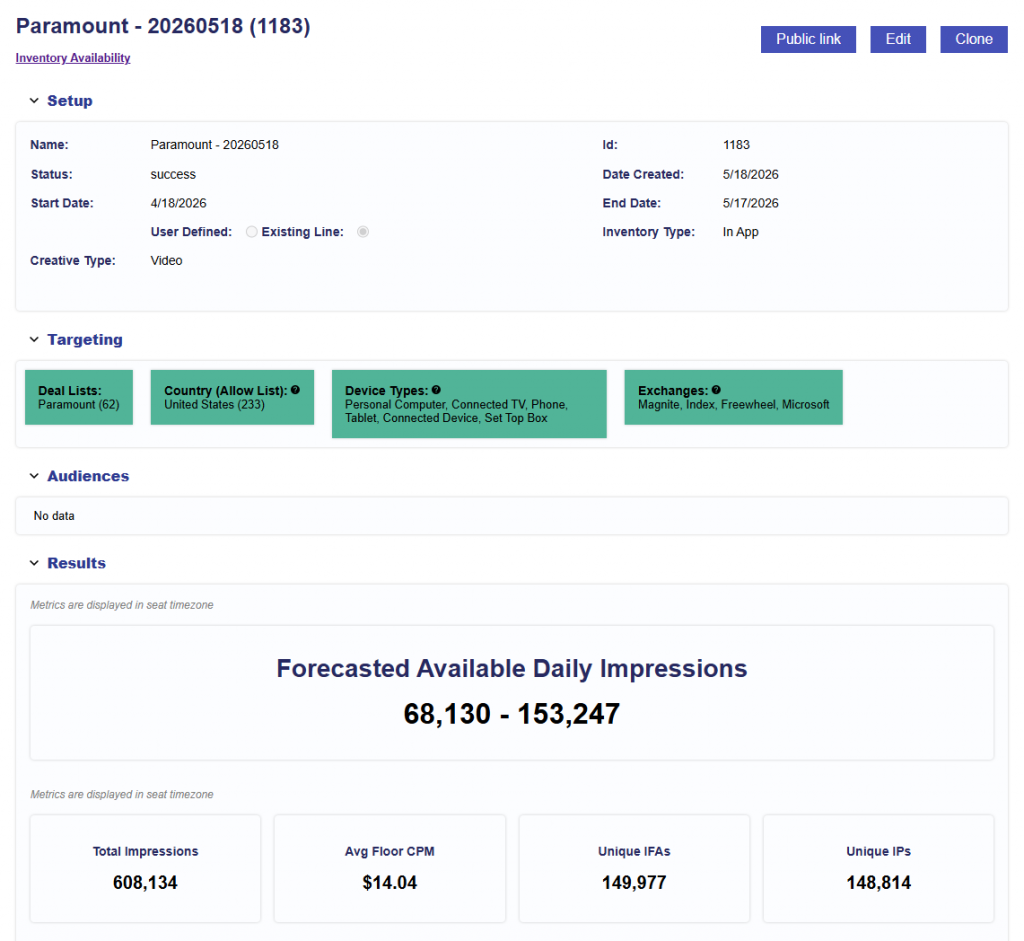
The Inventory Availability section allows users to create and review Inventory Availability reports directly from the Line.
Inventory Availability helps users understand whether inventory is available for the Line’s current configuration before or while troubleshooting delivery. It can be used to estimate available scale, validate that Targeting is not overly restrictive, and identify where configuration changes may increase eligible inventory.
This can be especially helpful when:
- A Line is showing limited or no delivery and you want to confirm whether eligible inventory exists.
- Evaluating the intersection of Campaign- and Line-level Targeting.
- Reviewing available inventory before adjusting bids, budgets, or other delivery settings.
Select Run Report to generate a new Inventory Availability report using the Line’s current configuration.
The report is generated using:
- Inventory type
- Creative type
- Advertiser
- Campaign
- Line
- Effective Targeting: The intersection of Campaign- and Line-level Targeting.
- Audiences: Line-level Audiences are automatically included.
- Campaign-level Audiences are not automatically included. If Campaign-level Audiences apply, manually add an additional Audience group before running the report.
- See Boolean Logic for details on Any and All logic between Audience groups.
Important: Inventory Availability estimates potential inventory based on the selected configuration. It does not guarantee delivery. Actual delivery can also be affected by factors such as bids, budgets, pacing, Creative eligibility, Frequency & Recency, Deal availability, auction competition, and other serving requirements.
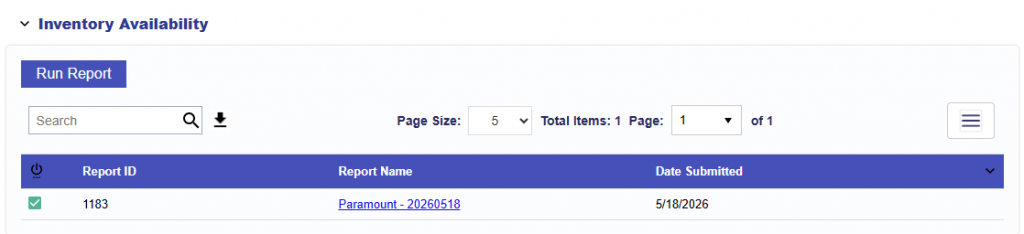
After a report is submitted, it appears in the Inventory Availability report table for the Line.
The table includes:
- Report Status: Shows whether the report is processing, complete, or has an issue.
- Report ID: Unique identifier for the report.
- Report Name: Generated using the Line Name and date. Select the Report Name to open the full report.
- Date Submitted: The date the report was created.
Reports are ordered by Date Submitted, with the newest reports shown first.
Results
Once the report has finished processing, select the Report Name to review the results.
Use the results to understand the available inventory for the evaluated configuration and identify whether changes to Targeting or Audience criteria may provide additional scale.
For a detailed explanation of the report and its results, see Inventory Availability Tool.