Bid Data
The Bid Data section provides near-real-time insight into the Line’s bid funnel and delivery activity.
Use the Time Frame filter to adjust the period displayed. Available options include 15 minutes, 1 hour, 12 hours, and 1 day, with data shown in 5-minute intervals.
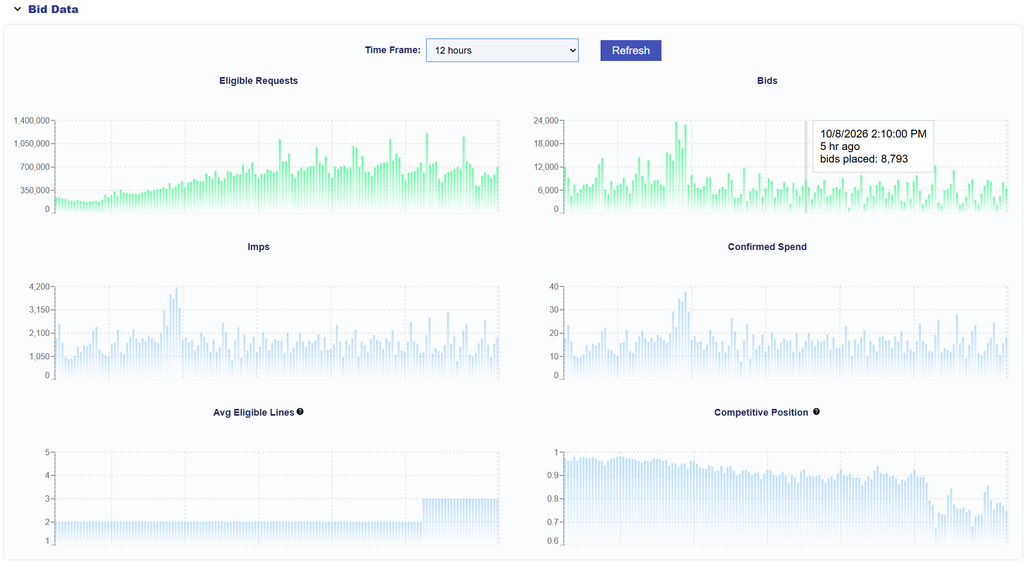
Available metrics include:
- Eligible Requests: Bid requests that meet the applicable Targeting criteria.
- Bids: Bids placed on Eligible Requests.
- Imps: Confirmed impressions served after winning an auction.
- Confirmed Spend: Confirmed spend generated by served impressions.
- Avg Eligible Lines: The average number of Lines competing for inventory also eligible for this Line.
- Competitive Position: Indicates how competitive the Line is relative to other eligible Lines. Values closer to 1 indicate a stronger competitive position.
The section also includes Bid/Imp Ratios for additional insight into how frequently Eligible Requests result in Bids and how frequently Bids result in Impressions.
For complete metric definitions, Bid/Imp Ratio interpretation, and guidance on using Bid Data to diagnose delivery issues, see Bid Data.