Campaign Creatives
Creatives can be managed at the Campaign level when the same Creative set should apply across all Lines within the Campaign.
When Manage Creatives is enabled in Campaign Setup, Creatives associated with the Campaign are inherited by its Lines.
Use Campaign-level Creative management when the same Creatives should be eligible across the full Campaign. If different Lines require different Creative sets, manage Creatives at the Line level instead.
Creatives must first be created under the Campaign’s Advertiser. Creatives cannot be uploaded or edited directly from the Campaign.
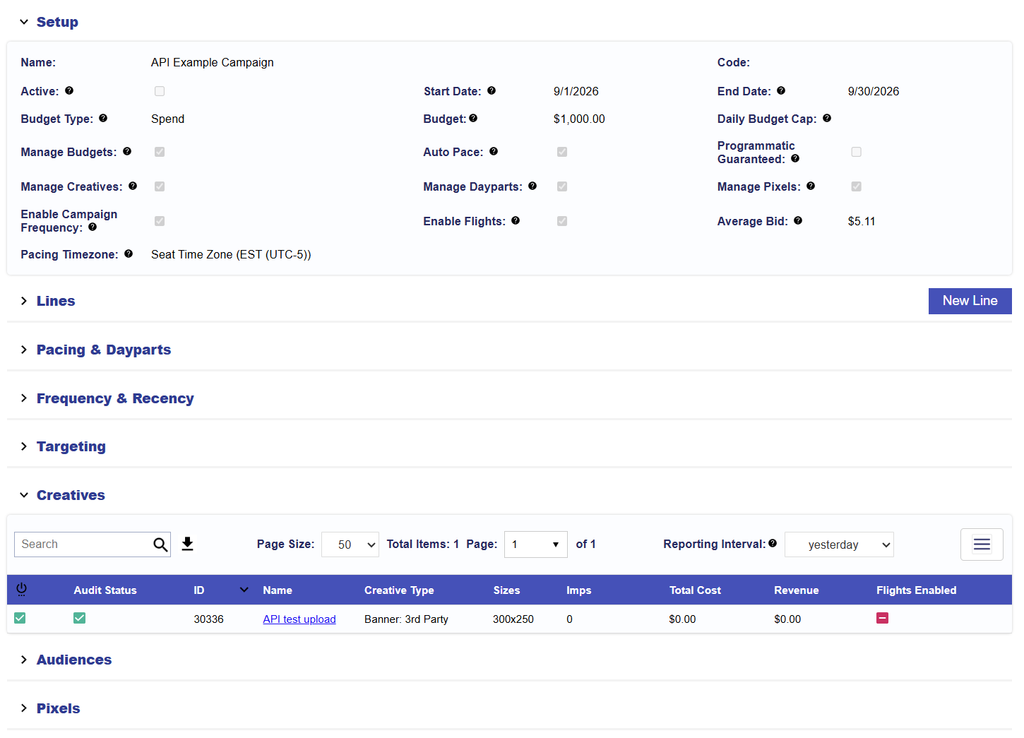
Associate a Creative to the Campaign
- Open the applicable Campaign.
- Select Edit.
- Confirm Manage Creatives is enabled or enable in Campaign Setup.
- Navigate to the Creatives section.
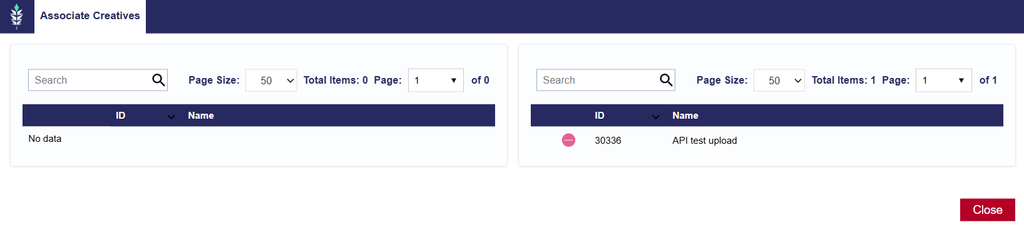
- Select Associate Creatives.
- Select the green plus sign (+) next to the applicable Creative or Creatives.
- To remove an associated Creative, use the red minus sign (−).
- Review the associated Creatives and close the Associate Creatives window.
- Select Submit in the upper-right corner of the screen to save.
For information on uploading, editing, auditing, and managing Creatives, see the Creatives documentation.