Programmatic Guaranteed (PG) Setup
Programmatic Guaranteed campaigns can only run Programmatic Guaranteed Deals, which is a direct deal that is created between a publisher and one advertiser with a fixed rate and guaranteed a specified volume of impressions. There is no auction and the advertiser is required to purchase all of the impressions coming through the deal id and all targeting must be applied on the supply-side (SSP).
Once a Programmatic Guaranteed deal has been created for a campaign, it must be imported into Pontiac before it can be targeted. See more information here for detailed instructions: Import Deal. Reach out to your Account Manager or through the Help Center if you have questions.
- Note: Importing the deal before it shows up in our database is best practice, as it will ensure that the campaign launches as promptly as possible.
Campaign Setup
When setting up a PG campaign, the ‘Programmatic Guaranteed’ check box applied at the campaign level in the setup must be checked. This will restrict the targeting and capabilities at both the campaign and line level to respect the parameters of the deal configured with the publisher. The budget and flight dates can be set on the campaign in Pontiac, but these fields are only used for monitoring pacing and campaign progress – they will not be respected by the bidder. Flight dates and budget should be configured on the deal by the publisher.
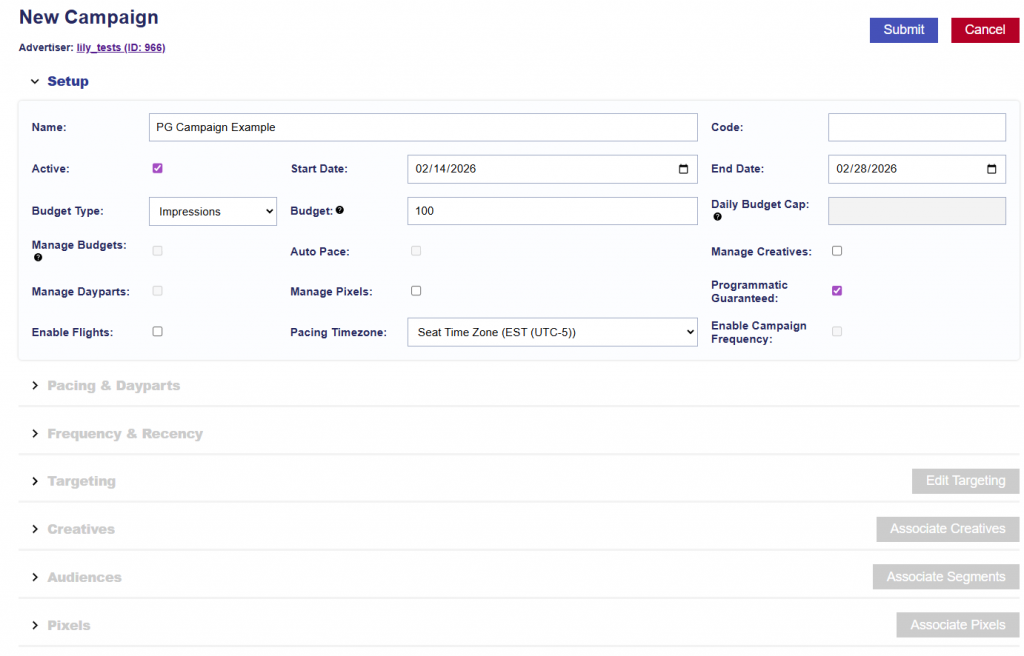
Note that Budget Type, Budget, and Flight Date fields on the campaign and associated line items are only available for monitoring and pacing purposes, they will not be respected since this is contractually agreed upon through the deal by the publisher.
Manage Creatives and Manage Pixels rename available if you’d like to associate these at the Campaign level so that you use the same creatives across the Lines. Otherwise, associate to the Line if creatives differ.
Line Setup
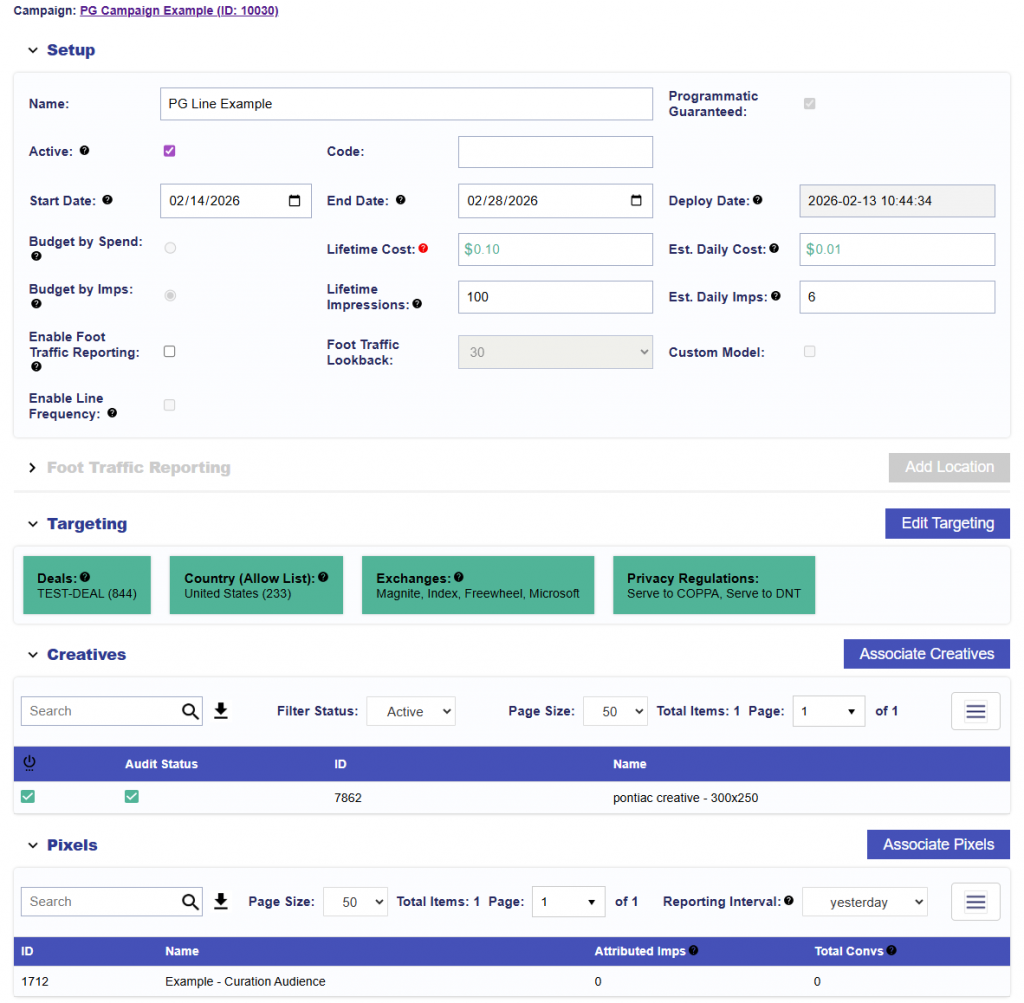
At the line level, the Budget Type, Budget, and Flight Date fields are only available for monitoring and pacing purposes and will not be respected since this is contractually agreed upon through the deal by the publisher.
One PG deal must be targeted on the Line level. When in the Targeting > Deals window, only PG deals will appear available.
If creatives and pixels were not associated on the Campaign level, associate them on the Line level and save.