Line Performance
The Line Performance section provides Line-level delivery and cost metrics for each Line within the Campaign and can be filtered to focus on the Lines and reporting period you want to review.
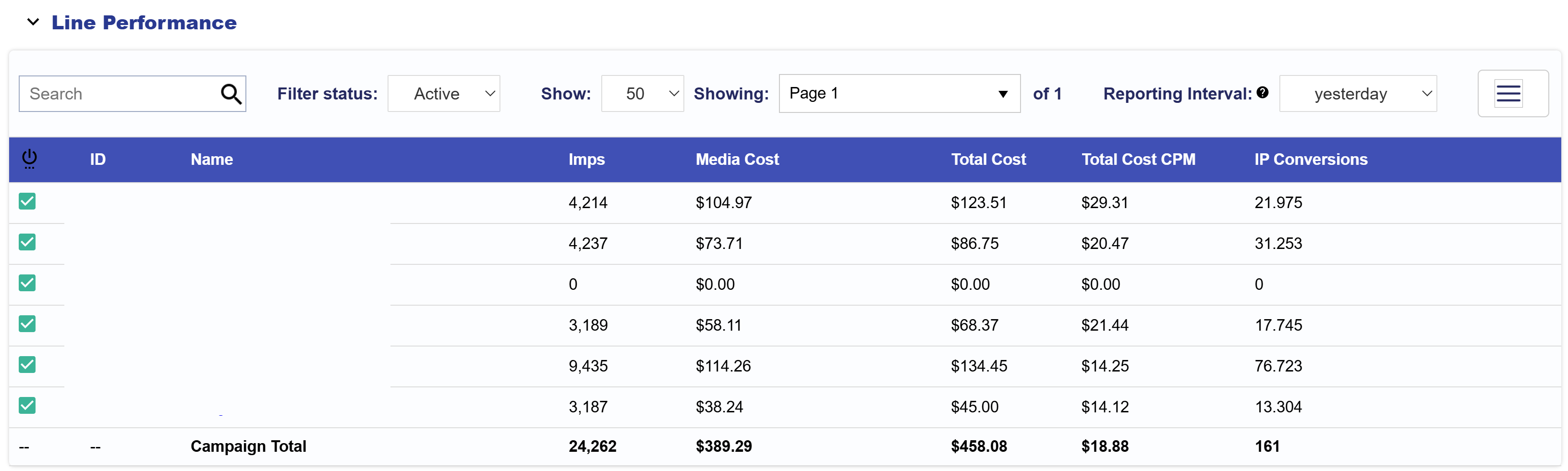
Use the controls above the table to customize the view:
- Search: Find a Line by Name or ID.
- Filter Status: Filter Lines by status, such as Active.
- Page Size: Adjust the number of Lines displayed per page.
- Reporting Interval: Change the reporting period used for the Line metrics.
- Column Selector: Select the three-line icon in the upper-right corner to add or remove metrics from the table.
- Download: Export the Line Performance table as a CSV file.
Available columns include:
- Status: Current Line status.
- ID: Unique Line ID.
- Name: Line Name.
- Imps: Total Impressions served.
- Media Cost: Media spend before additional fees or margins.
- Total Cost: Total Line cost, including applicable fees.
- Total Cost CPM: Total Cost per 1,000 Impressions.
- IP Conversions: Conversions attributed through IP-based tracking.
- Clicks: Total ad Clicks.
- CTR: Percentage of Impressions that resulted in a Click.
- CPC: Average Total Cost per Click.
- Transparency Score: Measure of inventory transparency.
- Foot Traffic Attributed Visitors: Visitors attributed through Foot Traffic Reporting.
- Revenue: Total Cost plus the applicable margin.
- Media Cost CPM: Media Cost per 1,000 Impressions.
- Data Cost: Cost associated with Audience data.
- Foot Traffic Cost: Cost associated with Foot Traffic Reporting.
- Credit Card Fee: Applicable credit card processing fee.
- Hosting Fee: Applicable Creative hosting fee.
- ART Fee: Cost associated with ART usage.
- Contextual Fee: Cost associated with Contextual AI usage.
- Chalice Fee: Cost associated with Chalice usage.
- VCR: Video Completion Rate for applicable video inventory.
The bottom row displays Campaign Total values for applicable metrics across the Lines included in the table.
Use this section to compare Lines within the Campaign, identify which Lines are driving delivery and spend, and surface Lines that may require additional pacing or performance review.