Help Center
The Help Center allows users to submit support tickets and communicate directly with the Pontiac team.
Users can access the Help Center by either:
- Clicking the Messages icon from anywhere in the platform
- Navigating to Admin > Help Center
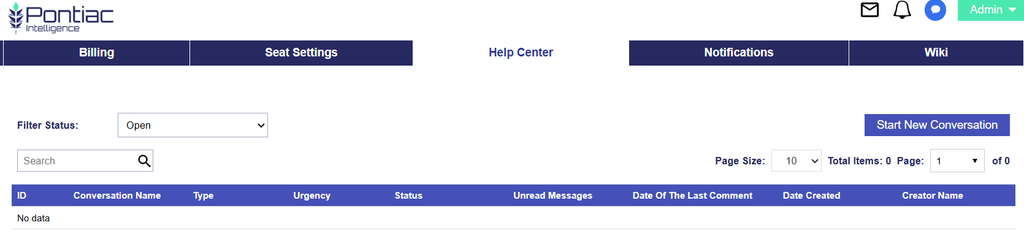
The Help Center documentation covers:
- Creating a new support ticket
- Selecting urgency and issue type
- Providing relevant Advertiser, Campaign, Line, Creative, Pixel, or User details
- Adding recipients and attachments
- Viewing responses and continuing support conversations
- Closing resolved tickets
- Reopening tickets when additional assistance is needed
- Tracking ticket status and conversation history
For additional information on submitting and managing support tickets, see the full Help Center documentation here: Help Center