The returned token must be included in the auth header for subsequent requests.
For example, to retrieve an existing Bidder Advertiser:
curl -X GET \
  -H "auth: YOUR_AUTH_TOKEN" \
  "https://api.pontiac.media/rtb/advertisers/1234"
If you switch seats during a session, the authorization token will change. Use the new token returned by the seat-switch request for subsequent API calls.
Creating a New Advertiser
Advertisers are the top level of the campaign hierarchy. Each advertiser represents a brand or company and can contain multiple campaigns.
Create an Advertiser under the current seat using: POST /rtb/advertisers
Required fields:
name: Advertiser/brand display name (must be unique within seat) status: ‘active’ (1) or ‘inactive’ (0) margin: Margin percentage (0.0 to 0.8, representing 0-80%) politicalContentEnabled: Whether to allow political ads (true/false) url: Brand website URL (must start with https://)
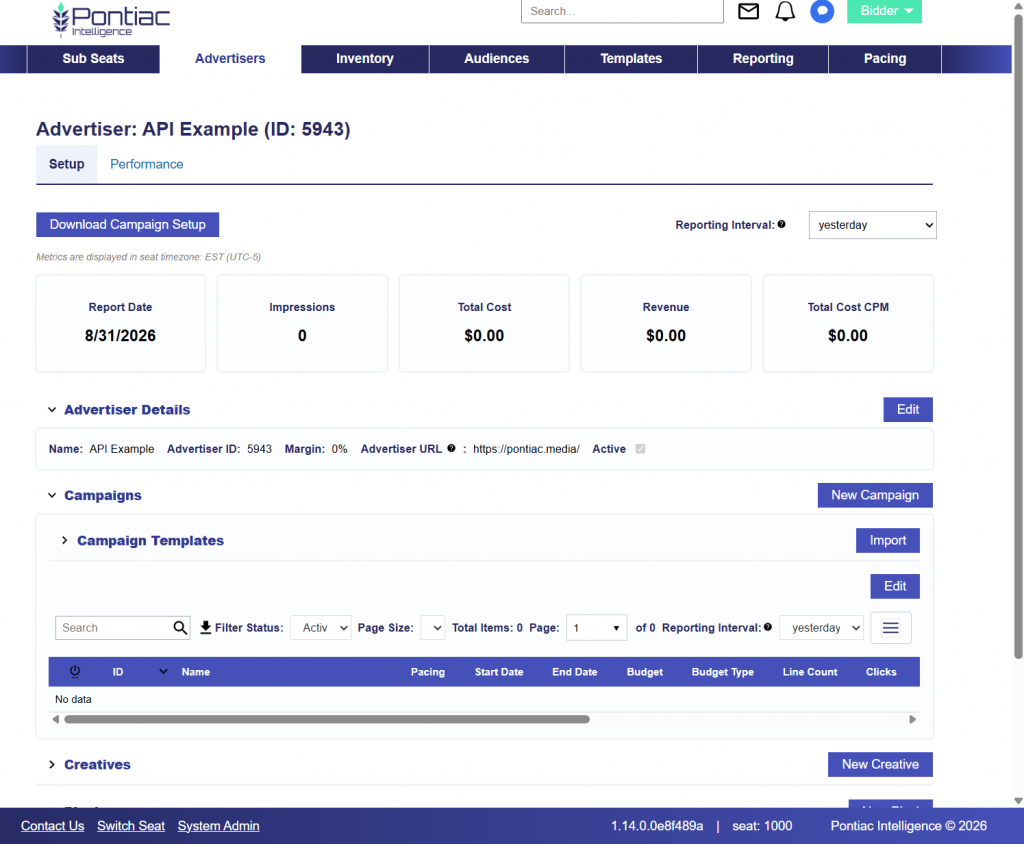
Save the Advertiser ID. It will be required when creating the Creative, Pixel, and Campaign.
In this example:
Advertiser ID: 5943
Pontiac Bidder UI Validation
Uploading a Creative
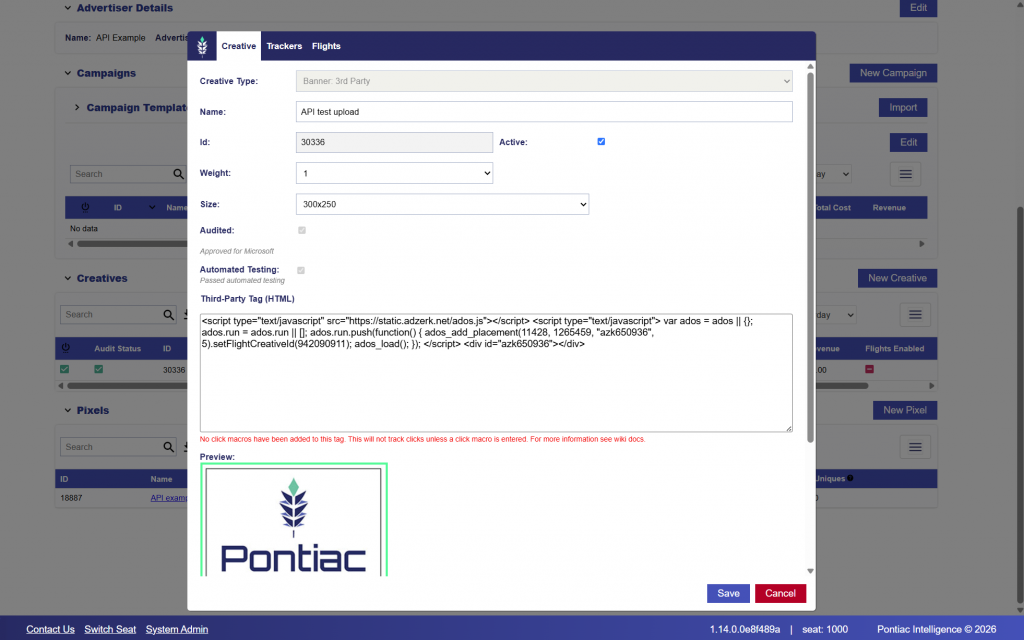
Creatives are created at the Advertiser level using: POST /rtb/creatives
The required fields vary depending on the Creative type. In this example, we will create a 300 × 250 Display Creative using a third-party HTML/JavaScript tag.
For a Display Creative, the full HTML or JavaScript tag is passed in the creativeData field.
Required Fields
All Creative types require:
advertiserId: Parent Advertiser ID.
name: Creative display name.
status: Creative status. Use 1 for active or 0 for inactive.
creativeType: Creative type. Supported values include Display, Video, Audio, FirstPartyVideo, and FirstPartyBanner.
duration: Creative duration in seconds. Use 0 for display and banner Creatives.
creativeSizes: Array containing at least one {width, height} object.
autoSizeDetection: Determines whether automatic size detection is enabled.
weight: Creative rotation weight from 1 to 10.
Additional fields are required depending on the Creative type:
Video / Audio: vastTag containing the VAST XML URL.
First-Party Video: clickUrl containing the click-through destination.
First-Party Banner: creativeData containing the Base64 encoded image.
Display: creativeData containing the HTML or JavaScript Creative tag.
Additional fields may also be included depending on the Creative setup, including clickUrl, MIME types, trackers, Creative flights, language, aspect ratio settings, and other Creative-level configuration.
Example Display Tag
The following HTML/JavaScript tag will be used for this example:
aspectRatioFiltering: Enable aspect ratio filtering
hasFlights: Enable creative flights/scheduling
flightsDates: Flight date ranges (when hasFlights=true)
language: Creative language code
Pontiac Bidder UI Validation
Creating a Pixel
Pixels are created at the Advertiser level using: POST /rtb/pixels/ip-conversion-pixel
IP Conversion Pixels track user actions, such as purchases or sign-ups, after ad exposure. They can also be configured to create an RTB retargeting audience for use in Campaign and Line targeting.
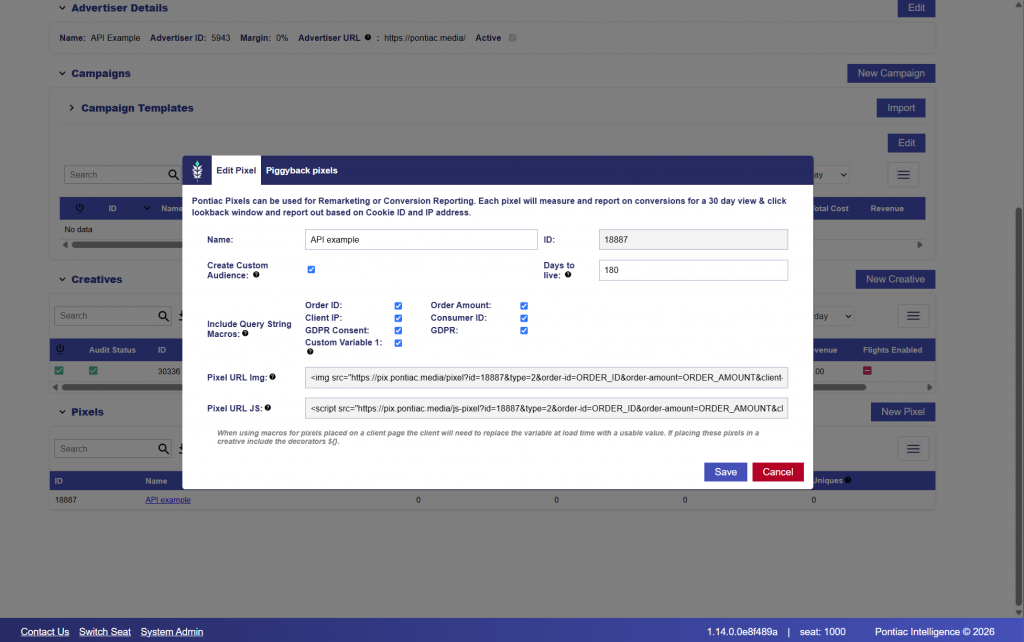
In this example, we will create a conversion Pixel for the Advertiser (ID: 5943) created earlier.
Pixel Settings
The Pixel request includes the following core fields:
name: Pixel display name.
pixelType: Pixel implementation type.
advertiserId: Parent Advertiser ID.
seatId: Seat ID associated with the Pixel.
Additional tracking and audience options can also be enabled:
createRtbAudience: Creates an RTB retargeting audience from users captured by the Pixel.
daysToLiveRTB: Number of days users remain in the associated RTB audience.
orderIdMacro: Enables an Order ID macro.
orderAmountMacro: Enables an Order Amount macro.
clientIpMacro: Enables a Client IP macro.
consumerIdMacro: Enables a Consumer ID macro.
gdprConsentMacro: Enables a GDPR Consent macro.
gdprMacro: Enables a GDPR flag macro.
customVariableMacro: Enables a Custom Variable macro.
Request
The following example creates an IP Conversion Pixel and enables an RTB retargeting audience with a 180-day audience duration.
From the response, save the pontiacPixelId. This ID can be used later when associating the Pixel with the applicable Campaign or Line.
In this example: Pixel ID: 18887
Because createRtbAudience is enabled, the Pixel can also be used to build an RTB retargeting audience from captured users.
The response also includes a piggybackPixels array. If additional third-party tracking Pixels are associated with the Pontiac Pixel, they are returned in this field.
Pontiac Bidder UI Validation
Creating a Campaign
Campaigns are created under an Advertiser using: POST /rtb/campaigns
A Campaign defines the overall flight dates, budget, pacing, and management settings that apply to the Lines created beneath it.
In this example, we will create a Campaign under Advertiser ID 5943.
Required Fields
The following fields are required when creating a Campaign:
advertiserId: Parent Advertiser ID.
name: Campaign display name.
startDate: Campaign start date in YYYYMMDD format.
endDate: Campaign end date in YYYYMMDD format.
budget: Total Campaign budget.
budgetType: Budget type. Use spend for dollars or imp for impressions.
status: Campaign status. Use 1 for active or 0 for inactive.
budgetManagement: Determines whether the Campaign manages Line budgets.
creativesManagement: Determines whether Lines inherit Creative associations from the Campaign.
pixelsManagement: Determines whether Lines inherit Pixel associations from the Campaign.
Programmatic Guaranteed Campaigns use specialized pacing behavior to support guaranteed delivery commitments.
Campaign Flights
Set:
"enableFlights": true
to enable Campaign flights.
Flights allow the Campaign budget to be divided into multiple budget periods within the overall Campaign dates. Each flight can have its own budget allocation.
Example Campaign Request
The following example creates an active Campaign with Campaign-level budget, Creative, Pixel, pacing, dayparting, and frequency management enabled.
The Campaign:
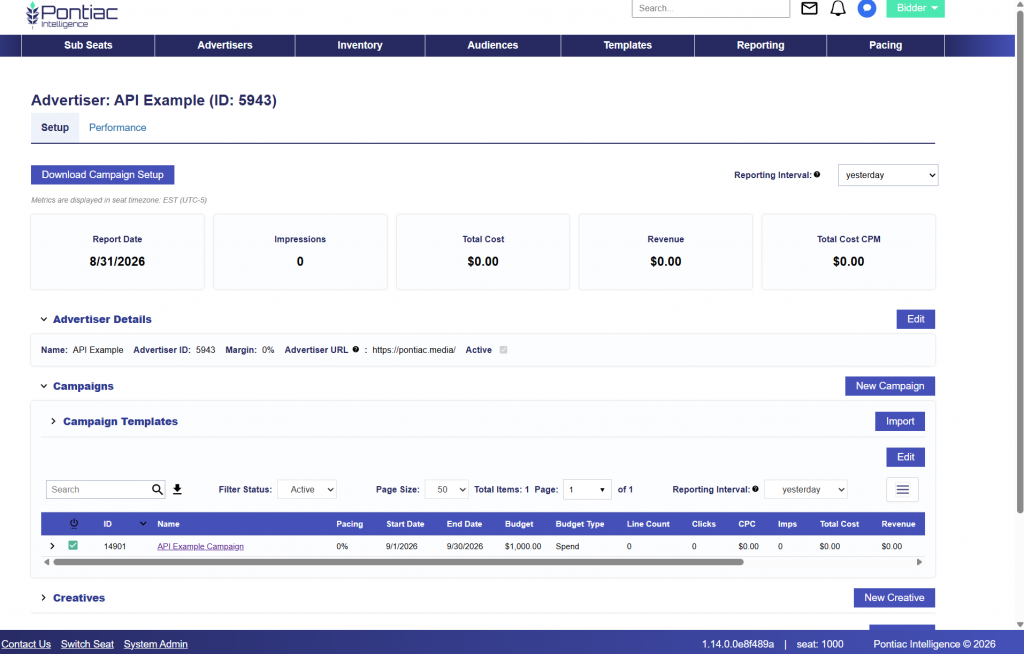
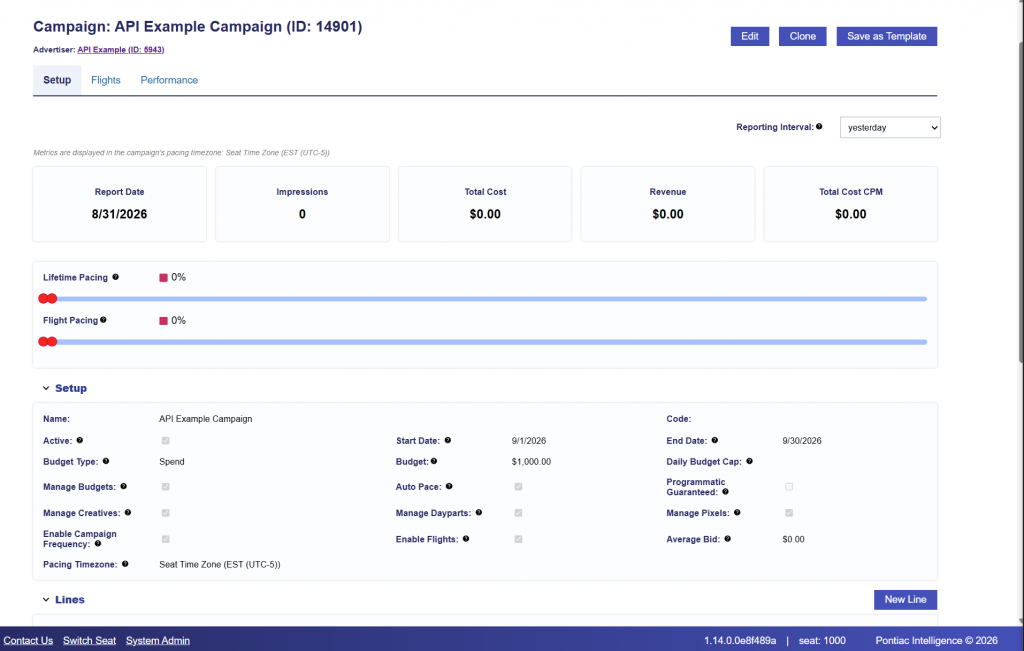
Runs from September 1 through September 30, 2026.
Has a total spend budget of $1,000.
Uses Campaign-level budget management and automatic pacing.
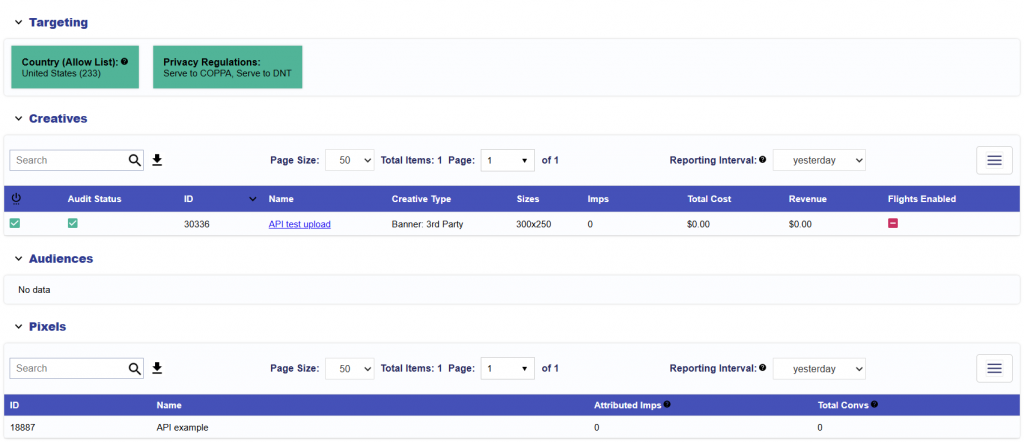
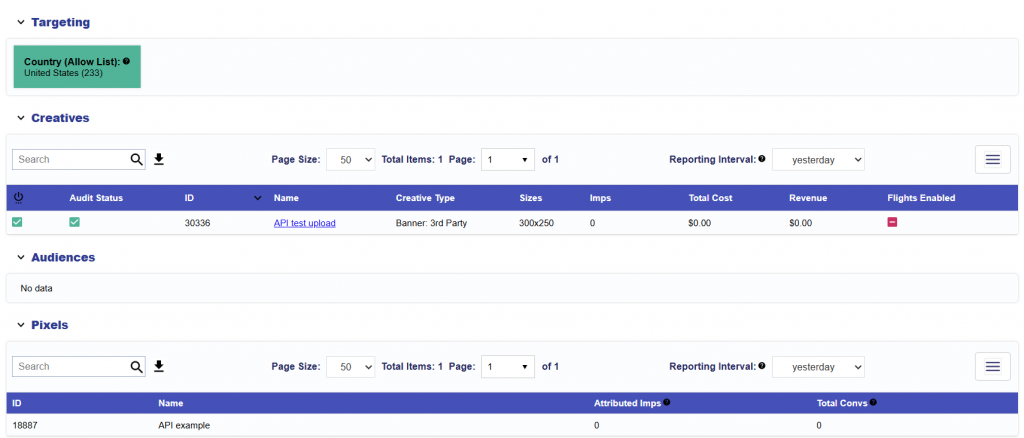
Associates Creative ID 30336.
Associates Pixel ID 18887.
Targets the United States.
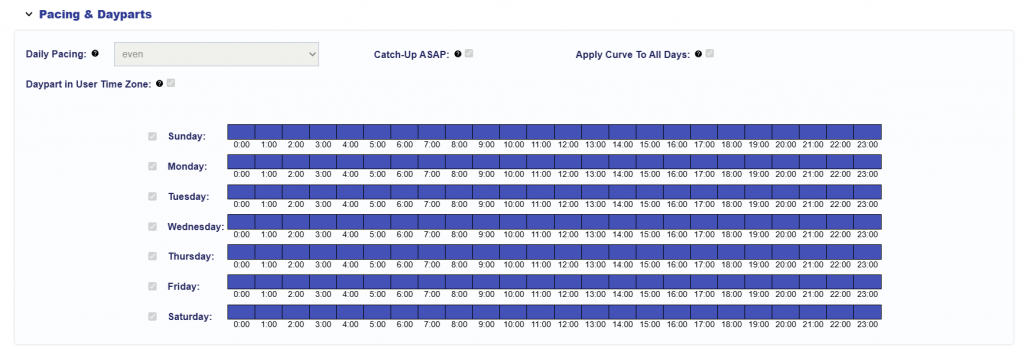
Allows delivery during all hours of all seven days.
Uses the user’s timezone for dayparting.
Applies a frequency cap of three impressions per IP per day.
When daypartsManagement is enabled, at least one day and hour must be included under targets.dayParts.include. Each eligible hour is entered individually. In this example, all 168 hours of the week are included, allowing delivery at any time.
Response
A successful request returns the newly created Campaign and its stored configuration.
The response confirms that the Campaign was created successfully with:
Campaign ID: 14901
Creative ID: 30336
Pixel ID: 18887
Flight ID: 8371
The full 24/7 daypart schedule was also stored under targets.dayParts.include, confirming that each eligible day and hour is represented individually. Because enableFlights is enabled, an initial flight was automatically created covering the full Campaign date range and Campaign budget.
Save the Campaign ID, as it will be required when creating Lines beneath the Campaign.
Because creativesManagement and pixelsManagement are enabled, Lines created under this Campaign can inherit these Campaign level associations.
Pontiac Bidder UI Validation
Campaign Setup
Pacing & Dayparts
Frequency & Recency
Targeting, Creatives, Audiences, & Pixels
Creating a Line
Lines are created under a Campaign using: POST /rtb/lines
The Line is the level where bidding and inventory delivery are executed. Every Campaign must have at least one Line in order to deliver impressions.
In this example, we will create a Line under:
Advertiser ID: 5943
Campaign ID: 14901
Seat ID: 1000
Because the example Campaign was configured to manage budgets, Creatives, Pixels, pacing/dayparts, and frequency settings, the Line inherits those applicable Campaign-level settings. However, some corresponding fields are still required in the Line creation request for validation. These fields can be populated without creating additional Line-level restrictions.
Required Fields
The following fields are required when creating a Line:
advertiserId: Parent Advertiser ID.
campaignId: Parent Campaign ID.
name: Line display name.
status: Line status. Use 1 for active or 0 for inactive.
bid-floor: Bid based on the applicable floor price.
advanced: Supports more granular or Deal-specific bidding.
recency: Minimum number of minutes between impressions. Supported values are 0, 1, 2, 5, 15, 30, 60, and 360.
dailyPacing: Line pacing type. Supported values include even, asap, and custom.
catchupAsap: Enables aggressive catch-up pacing when behind.
dayPartTargetingMode: Determines the timezone used for dayparting. Supported values include user and line.
budgetType is inherited from the parent Campaign and should not be included in the Line request.
Campaign-Managed Settings
The parent Campaign in this example has Campaign-level management enabled for:
Budget
Creatives
Pixels
Pacing and dayparts
Frequency and recency
As a result, the Line does not need to explicitly associate Creative ID 30336 or Pixel ID 18887. These associations are inherited from the parent Campaign.
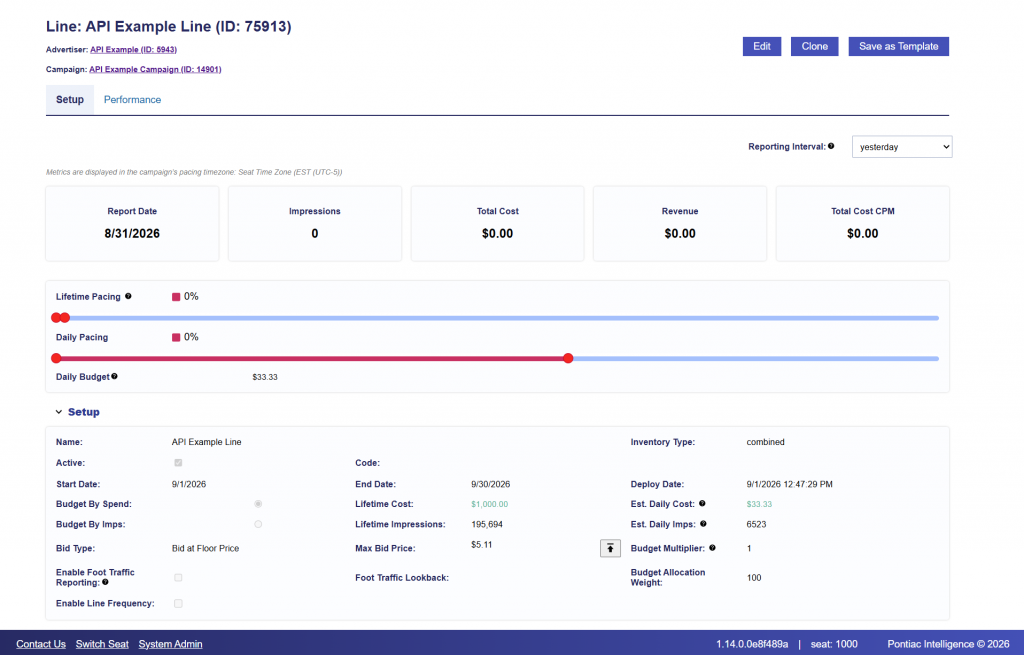
Because Campaign budget management is enabled, the Line uses budgetAllocationWeight rather than setting an independent Line budget.
Some pacing and frequency fields must still be populated in the POST request to satisfy Line validation. A value of 0 is used for Line-level frequency and recency so that the Campaign-level restrictions remain controlling.
Budget Allocation
When budgetManagement is enabled on the parent Campaign, use:
budgetAllocationWeight
to assign budget weight to each Line.
In this example, there is only one Line, so a weight of 100 is used:
"budgetAllocationWeight": 100
The Line also uses:
"budgetMultiplier": 1
A multiplier of 1 means no additional daily budget multiplier is applied.
Bid Settings
This example uses Bid at Floor bidding with a maximum configured bid value of $5.11 CPM.
The Line will use floor-based bidding while limiting the configured bid to $5.11 CPM.
Targeting Requirements
The Line endpoint requires a targets object.
At least one country must be included under:
targets.geoCountries.include
In addition, targets.dayParts.include must contain at least one eligible day and hour.
Because this example Campaign allows delivery 24 hours per day, seven days per week, the Line includes all 168 hours. This satisfies Line validation without introducing a more restrictive Line-level daypart schedule.
Frequency Validation
The Line endpoint also requires a frequencyCap value even when frequency is managed at the Campaign level.
For this example, Line-level frequency is disabled using:
The response also confirms several Campaign inheritance behaviors.
Creative and Pixel Inheritance
Creative ID 30336 and Pixel ID 18887 were not explicitly included in the Line request but were automatically associated with the created Line because Creative and Pixel management are enabled on the parent Campaign.
Budget Inheritance
The Line inherited:
"budgetType": "spend"
from the parent Campaign.
Because Campaign budget management is enabled, the Line’s independent budget is returned as 0. Instead, the Line uses:
"budgetAllocationWeight": 100
to determine its share of the Campaign-managed budget.
Line Flight
A Line flight was also automatically created:
Line Flight ID: 58824
The Line flight is linked to:
Campaign Flight ID: 8371
and uses the same date range as the Campaign flight.